One session, one study
You work in a chat session. Each message you send is a turn. Instead of answering with prose only, a turn runs a workflow skill: it searches the literature or runs code in a built-in Python kernel, checks its own work with a reviewer, and saves the results as artifacts — reports, tables, figures, manuscripts — that stay attached to the session.
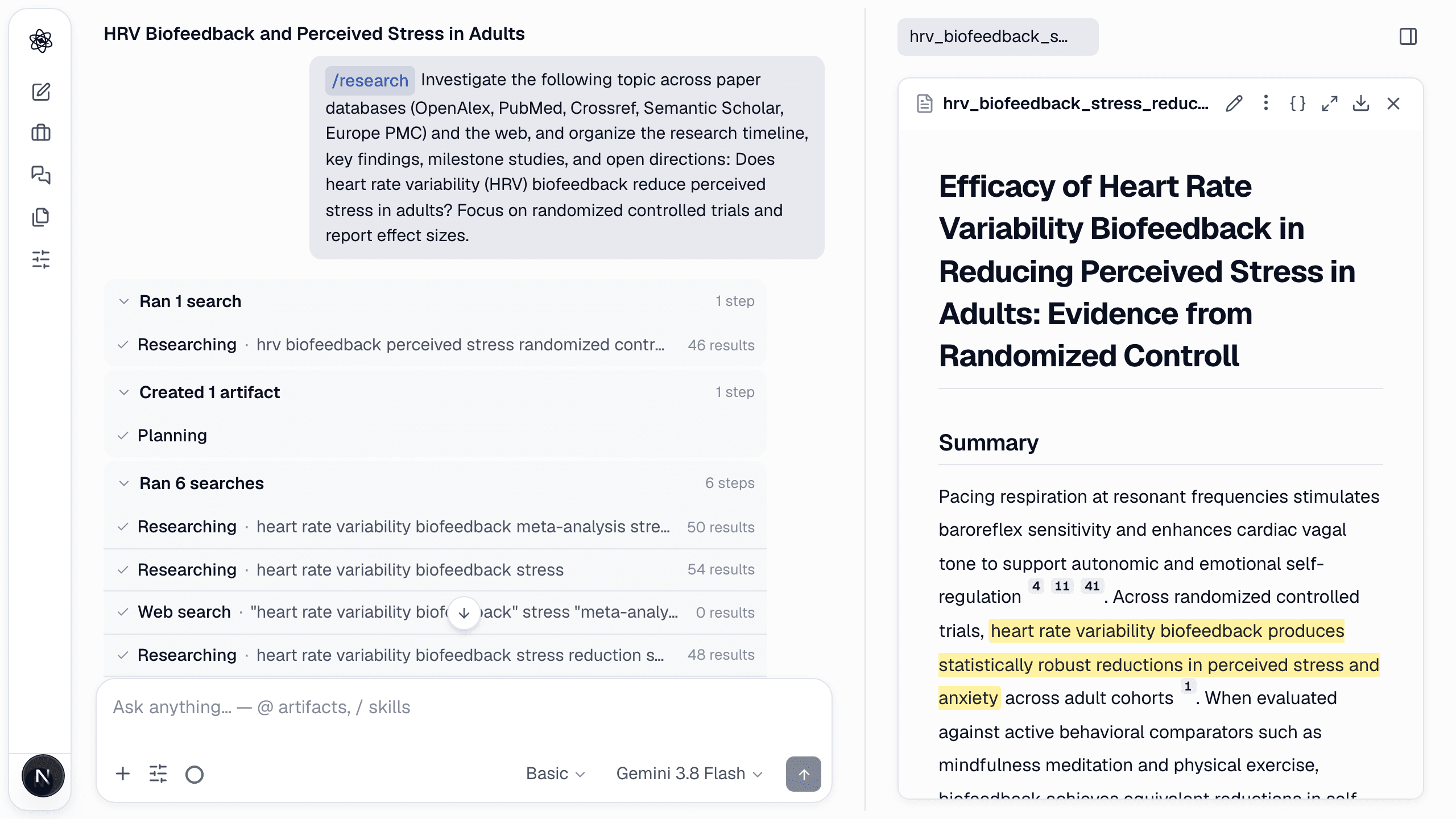
Because every turn in a session sees the earlier artifacts, you can move through a study in order: the design turn reads the literature report, the statistics turn reads the uploaded data and the analysis plan, the writing turn cites everything above it.
The six stages
| Stage | What you ask for | What you get |
|---|---|---|
| Literature | /research a question | Screened evidence table, report with numbered citations, citation graph |
| Research design | Hypotheses, an experiment | Ranked hypotheses; design report with protocol flow and power analysis |
| Data analysis | /analyze an uploaded file | Data-quality check, explicit analysis plan, reproducible report with figures |
| Statistics | /stats a hypothesis | Assumption checks, the justified test, effect sizes with CIs and achieved power |
| Figures | /figure or /illustrate | Editable vector diagrams and scientific illustrations |
| Writing & review | /write, /review | Methods/Results drafts tied to session evidence; an independent review report |
See Run tasks for each one, or follow the step-by-step walkthroughs on the blog.
What makes it different
- Skills, not prompts. Every task runs a validated pipeline — the right searches, the right assumption checks, the right output format. Browse the skill catalog.
- Reproducible by default. Analyses run as real code; every artifact keeps the code and inputs that produced it. See Reproducibility & export.
- Reviewed. A separate reviewer checks claims, statistics and citations before a turn finishes, and you can run a full review on any manuscript.
- Your language. The interface and the agent's answers follow the language you choose — English, 한국어, 日本語 or 中文. See Language settings.
- Local first when you want it — coming soon. The desktop app, now being prepared for release, will let you run turns on a local model — no managed tokens used, no third-party AI provider — and keep files on your machine, with your own API keys free to use. Today Neutropic runs in your browser: sign up and start, nothing to install.
New here? Continue with Create an account & sign in and then Your first chat — ten minutes end to end.