What a custom skill is
A custom skill is a named instruction set the agent follows when you invoke it: the steps to take, which method skills to use, what the output must contain, and what the reviewer should check. It turns "the way we always analyze a usability study" into a command.
Create one
Open Customize → Skills and choose New custom skill. The form has:
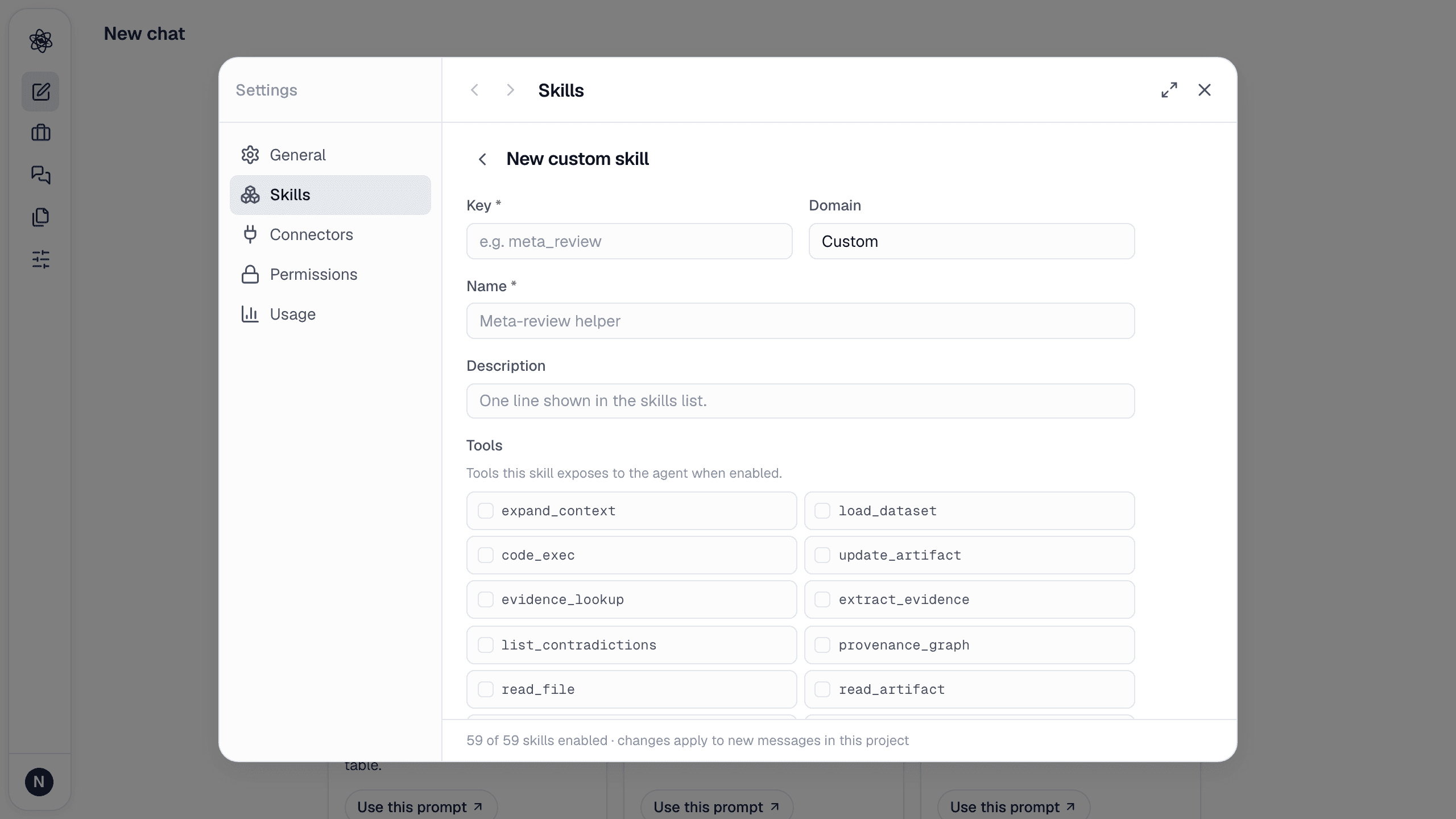
| Field | What to put |
|---|---|
| Key | A short lowercase id, e.g. meta-review — used in the [Use skills: …] tag |
| Name and Description | The name shown in the list and the one line the agent matches against requests |
| Domain | Optional grouping label |
| Tools | The tools this skill exposes to the agent when it's on — pick the method skills and utilities it should use |
| Guidance | The instructions injected into the agent's system prompt when the skill is enabled: "When asked to…, first …, then …". Be concrete about inputs, steps, outputs and checks — the way you'd brief a research assistant |
| Review criteria | Optional. Extra checks the review agent applies whenever this skill's tools were used |
Save, and the skill appears in the list with an on/off switch.
Use it
With the skill on, describe a task that matches its description, or force it with the tag:
text
[Use skills: meta-review] Review the three uploaded manuscripts against our lab's reporting checklist.
It runs like any workflow skill: execution with the tools you allowed, review with your criteria, artifacts.
Tips
- Start from a session that already went well: ask the agent to "write a custom skill that reproduces what we did in this session", then edit.
- Include the report structure you expect — section headings and required statistics — so results are consistent across runs.
- Keep one skill per deliverable; chain them in a session rather than building one giant skill.
Sharing
Custom skills are stored on your account. Team plans with shared skills across a lab are on the roadmap — see the changelog for updates.