Usage
Customize → Usage shows the month at a glance: managed tokens used vs. plan, this week's usage vs. the weekly cap, a breakdown by session and by model, and a history of grants — plan renewals, promotion codes, top-ups. Each answer in a chat also carries its own token count.
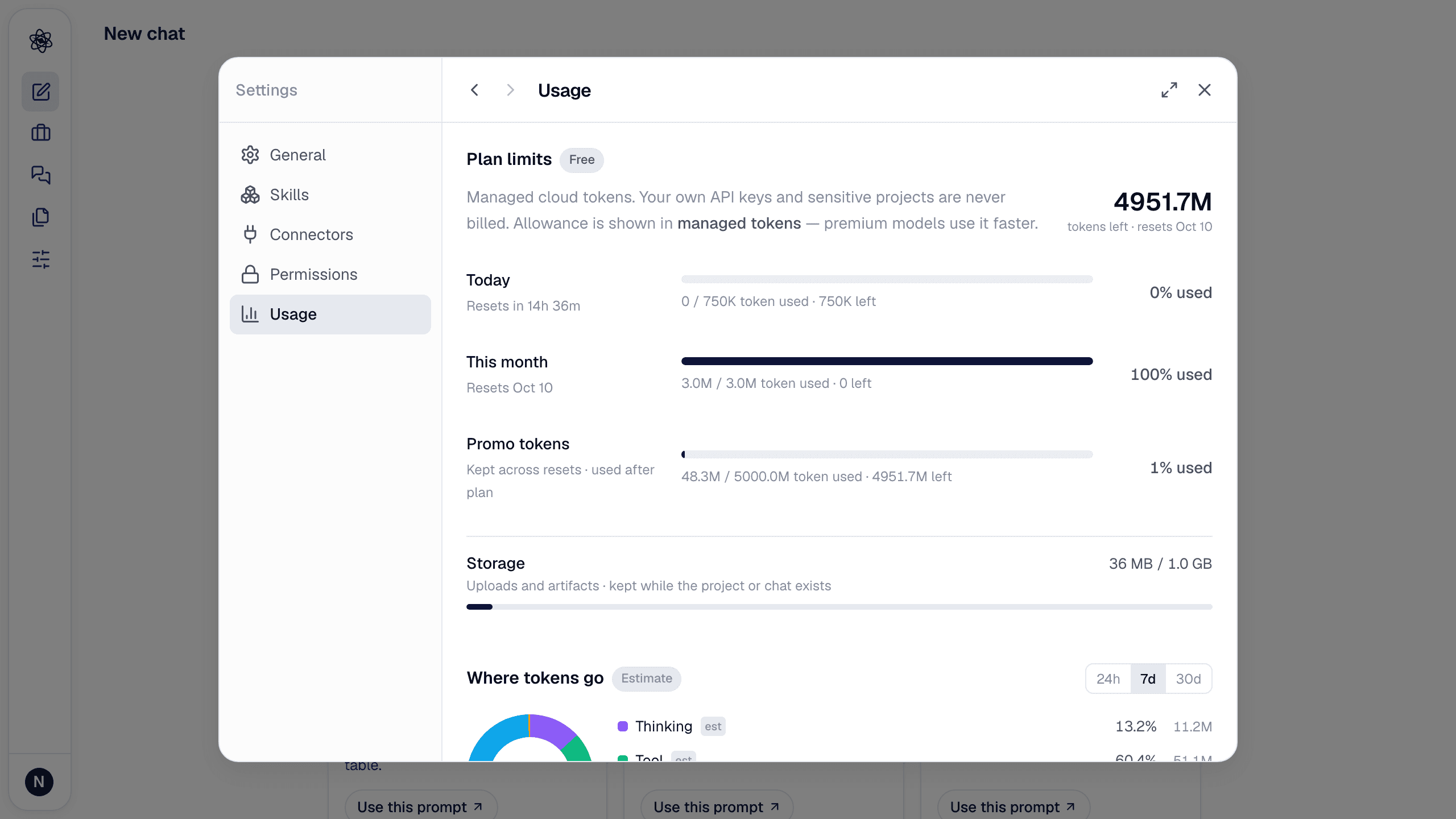
Where tokens go
The Where tokens go block answers "what did the tokens buy?" for any period — the last 7, 30 or 90 days, this month, or a custom range of up to 400 days — and for one project or all of them.
- By task · By project · By chat · By model — each row shows turns, tokens processed, plan usage (managed tokens), artifacts produced, verified citations, and the thumbs you gave. Tasks are the skill a turn ran (literature & research, data analysis & statistics, writing, figures & slides, review, general chat …). Click a project to see its chats; click a chat for its turn-by-turn detail (model, steps, artifacts, citations checked, rating).
- How the work splits — a bar of thinking / tool runs / writing / review, with tool runs broken down into search & reading, citation & evidence checks, computation, files, and artifacts. The thinking/tool split is an estimate from output length and is marked est.
- Download CSV gives one row per turn (date, project, chat, task, model, tokens, plan usage, steps, artifacts, verified citations, rating) for your own analysis.
- Open report opens a printable usage report in a new tab — summary numbers, task breakdown, work split, projects, top chats, model and daily series, and a method note. Use the browser's Print / Save as PDF to attach it to a proposal or a lab report.
Artifacts, citations and ratings are exact counts; they are recorded for turns from the day the feature shipped, and the report says so when the period starts earlier. Figures are tokens only — never money.
From a project's card on the Projects page, ⋮ → Token usage opens this view already filtered to that project for the last 90 days.
Storage
Customize → Storage (right under Usage) shows uploads + artifacts against your plan's quota (1 GB Free · 5 GB Lite · 20 GB Pro · 50 GB Max). The row turns amber at 90%.
What counts:
- Files you upload (datasets, PDFs, audio, video).
- Artifacts the agent creates (reports, figures, tables, exports).
What doesn't: the text of chats, memory, settings.
Retention
Your uploads and artifacts are kept for as long as your account exists — the canonical copy lives in your account's storage. Working copies used by the analysis kernel are cached for 14 days and rebuilt on demand, so a session you reopen after a month still works. Deleting a session deletes its uploads and artifacts; deleting an artifact frees its space immediately.
Free space
- Customize → Storage lists every upload and artifact with its size, chat and project, largest first. Filter uploads vs. generated, search, tick the ones you no longer need and delete them in one go — the row shows how much was freed. Files in example projects are read-only.
- Delete sessions you no longer need from the chat list.
- Delete large artifacts (video-derived tables, intermediate exports) from the Artifacts page.
- Move big raw recordings to Google Drive and import only what a session needs.
When the quota is reached, uploads are refused with a message that shows usage, limit and plan. See Uploads fail or quota exceeded.
Desktop app storage
The desktop app is being prepared for release; this section describes how it will work.
In the desktop app, Customize → Storage additionally manages what is on this computer: the local folders the agent may read, the media pack for audio/video analysis, artifacts made on this computer, and code-execution working copies (which you can clear without affecting your originals).