Make a deck — /slides
/slides Make a 15-minute lab-meeting deck from this chat: the pilot design, the protocol figure and the analysis plan.
The slides skill reads what the chat and project already hold — literature reports, design documents, analyses, figures, a manuscript — and builds a deck for the audience and time you name (a lab meeting, an advisor meeting, a proposal defence, a conference talk, a stakeholder briefing). If you don't say, it assumes a 15-minute talk and tells you so, so you can redirect.
Every slide carries one message, and the title is the message. Numbers are copied from the artifact that reports them and the slide names that artifact; figures already in the chat or project are reused by file name; background claims keep their [n] citations and a references slide is built from the session's records. Every content slide has speaker notes.
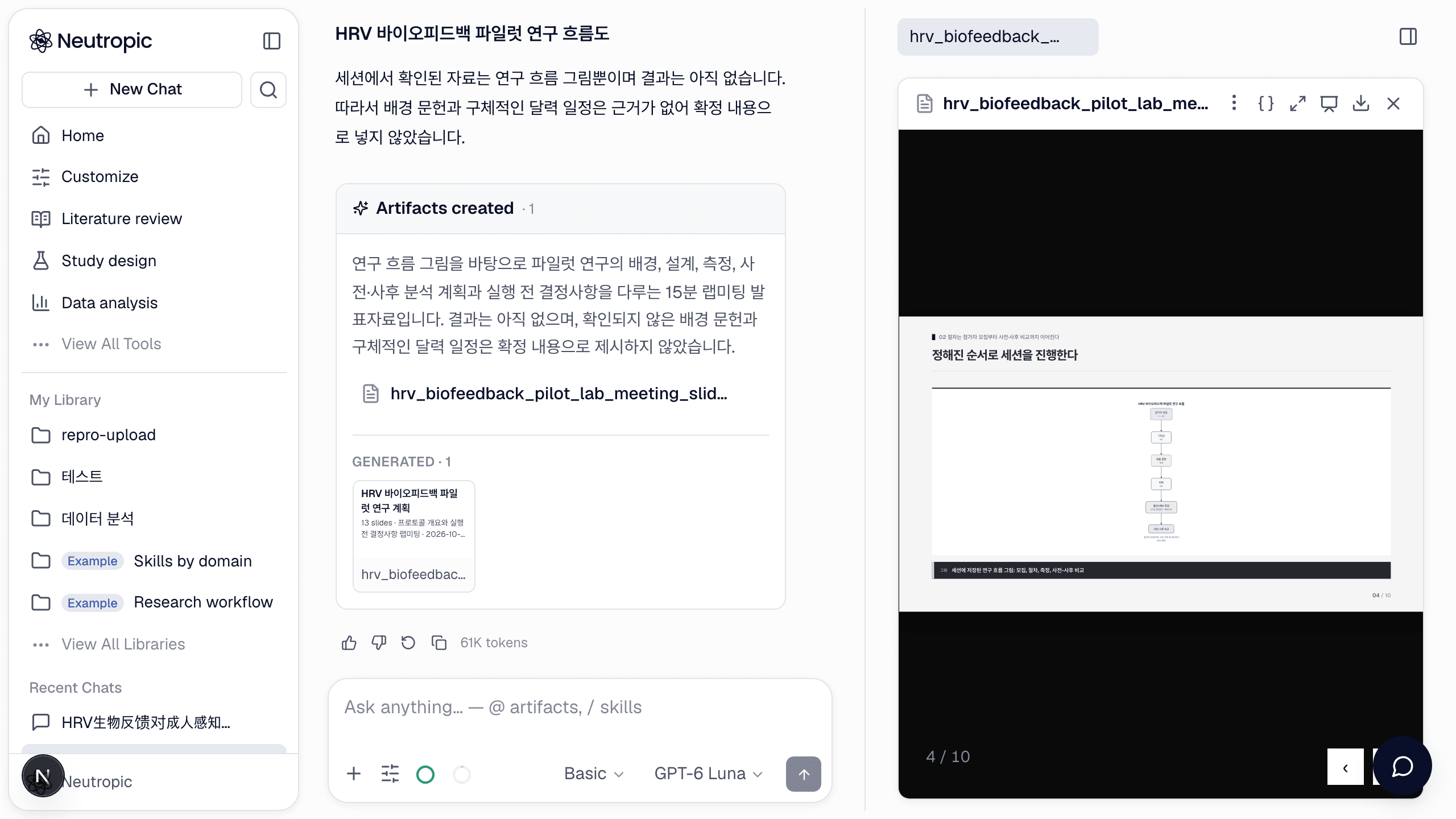
Present and navigate
The deck opens in the artifact panel with its own viewer: ← / → or Space to move, N for speaker notes, P for the print view, F or the Present button for fullscreen. #7 in the URL jumps to slide 7.
Change it
Ask in the chat — the deck is edited in place, never recreated:
Shorten slide 3 to three bullets and move the timeline slide after the methods.
Use the dark theme.
Themes: paper (light, default), ink (dark), slate, warm, and brand — attach your logo and the accent colour is taken from it.
Export
The download menu on the deck offers HTML (a self-contained viewer that opens in any browser), PPTX (editable text boxes, native tables and charts, diagrams as editable shapes, speaker notes) and PDF (one slide per page, 16:9). On the free plan the deck can be downloaded as PDF only; HTML, PPTX and exports to connected apps need a paid plan.
Limits worth knowing
- The deck presents what the session holds; it does not search the literature. Anything unsupported is left out or raised as an open question in the notes.
- Long bullets are shrunk and then split into continuation slides. Keep slides short, or ask for fewer points per slide.
- To analyse a rehearsal video of your talk, use Insight › Presentation rehearsal instead.