Choose the interface language
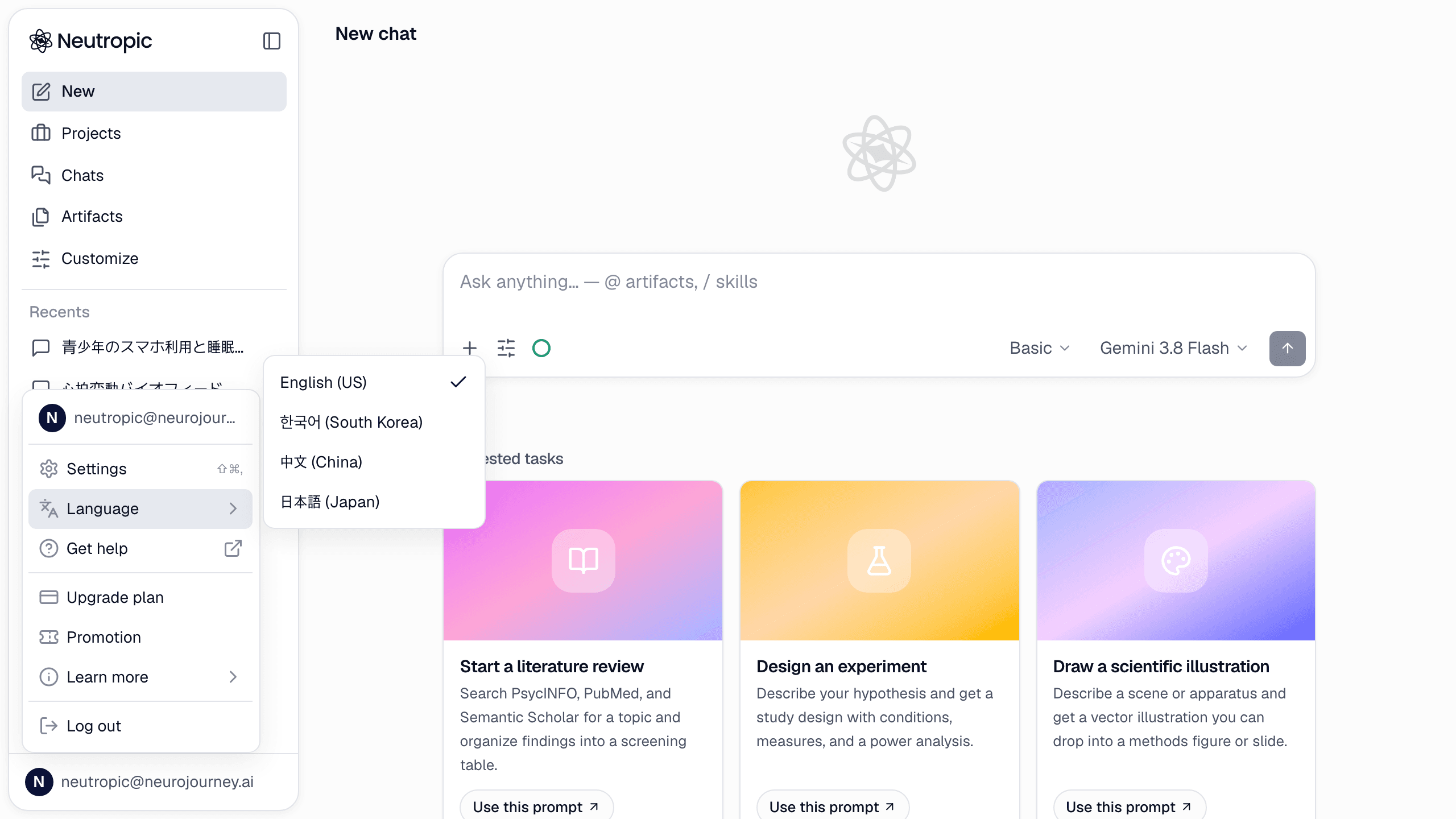
Use the language menu in the site footer, or the Language item in the profile menu (your avatar at the bottom of the sidebar) inside the workspace. The choice is saved on this browser (and on your profile when you're signed in) and applies to the whole product: menus, buttons, confirmation cards, docs and blog.
The agent answers in your language
The agent answers in the language of your first message in a session. Slash commands expand into that language too: with the interface in Korean, /research becomes a Korean request and the report, tables and figure labels come out in Korean. Screenshots in the docs and blog also switch to the matching language where a capture exists.
A session keeps the language it started in. To switch, start a new chat — or say explicitly "answer in English from now on".
Mixed-language sources
Literature search runs in English against the databases (OpenAlex, PubMed, Crossref, Semantic Scholar, Europe PMC) regardless of your language, so you get the full international evidence; the report itself is written in your language with original titles preserved in the reference list.