The commands
Type / in the composer to open the command menu, pick one, and finish the sentence with your request.
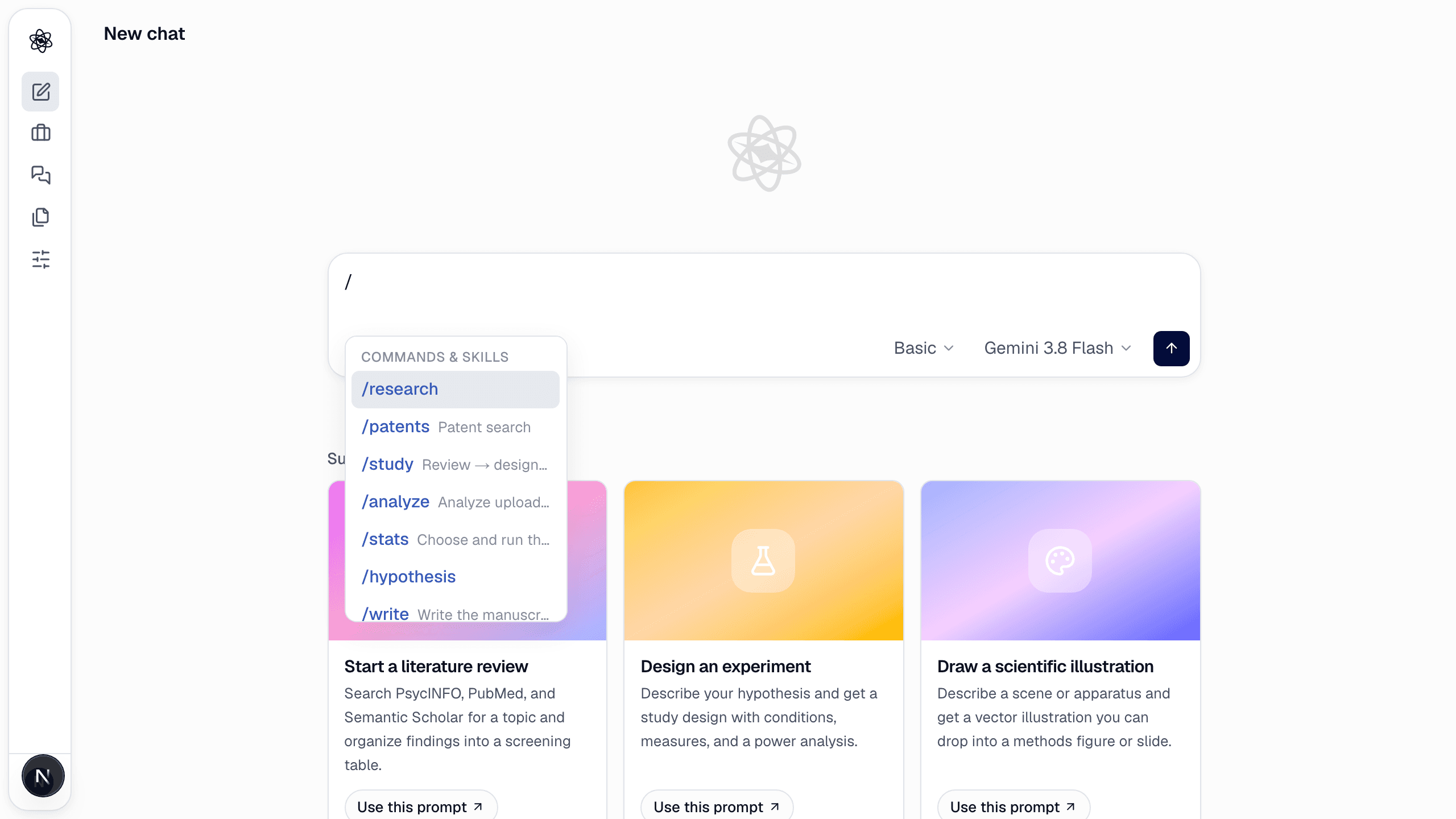
| Command | Skill | What it does | Main artifacts |
|---|---|---|---|
/research <question> | research | Literature review across OpenAlex, PubMed, Crossref, Semantic Scholar, Europe PMC and the web | Screening table, report with [n] citations, citation graph, mind map |
/patents <topic> | research-patent | Patent landscape — filing trend by year, assignees, status, milestone patents | Report, filing-trend chart |
/fact <question> | quick-fact | One-line, sourced answer to a factual question | Chat answer with source |
/hypothesis <problem> | hypothesis | Map the research space, list gaps and contradictions, rank testable hypotheses | Hypothesis report |
/study <topic> | study-workflow | Literature → design → analysis plan → integrated proposal in one run | Everything above plus analysis_plan.md, integrated_research_proposal.md |
/analyze [question] | data-analysis | Inspect, plan and analyze an uploaded dataset | Analysis report, plots, cleaned tables |
/eeg [question] | eeg_suite | EEG from a CSV (channels in µV, time_s, marker) — preprocessing, band power, topomap, ERP, ERD/ERS, SSVEP | EEG figures, band/ERP tables, analysis report |
/stats [hypothesis] | statistics | Choose, justify and run the statistical test | Statistical report, descriptives, group plots, structured results |
/figure <description> | figure | Editable vector diagram (flowcharts, frameworks, protocol flow) | SVG |
/illustrate <description> | illustration | Scientific illustration for methods figures | SVG/PNG |
/write [sections] | paper-writing | Draft manuscript sections tied to session evidence | Manuscript .md |
/review [target] | review | Picks the review track from the request — a report review, or a journal-style peer review when a target journal or submission is in play | Review report or peer review report |
/report-review [target] | report-review | Independent review of a manuscript or analysis — claims, methods, statistics, citations, reproducibility | Review report with prioritized issues |
/peer-review [journal] | peer-review | Journal-style peer review of an attached manuscript — journal profile, comparable papers, five reviewers, editorial decision | Peer review report with decision, revision guide and recommended journals |
/insight-face [scenes] | insight-face | Easy-to-read emotion report from a face video or photo — emotion mix, flow, highlights and reactions by scene; several people are compared (/insight picks the insight report for you) | <file>_emotion_report.html, downloaded as a PNG image |
/compact | compact | Summarize the conversation so far and continue with a compact context | Summary in chat |
Experiment design has no command — describe the experiment ("design a two-arm randomized trial to test…") and the experiment-design skill runs. Its outputs: design report, reference designs, protocol flow diagram, power curve, expected-results figure.
Without a command
Plain requests work the same way: the agent picks the skill from what you ask for. "Compare SUS between the two versions with effect sizes" runs statistics; "draw the study flow" runs figure. Commands are useful when you want to be explicit — or when a request could go either way.
Force a skill with a tag
To pin a specific skill, start the message with a skill tag:
[Use skills: experiment-design] Design a within-subjects crossover to test evening blue light and sleep duration in adolescents.
The tag is removed from the message before the agent sees it. Keys are listed on each skill reference page.
Commands expand in your language
A command expands into a full request in the interface language, so the report, tables and figure labels come out in that language. See Language settings.