What an artifact is
An artifact is a file the agent created during a turn — a Markdown report, a CSV table, an SVG/PNG figure, a JSON of structured results. Artifacts belong to the session, are listed under the answer that created them (Artifacts created · n), and are collected across sessions on the Artifacts page.
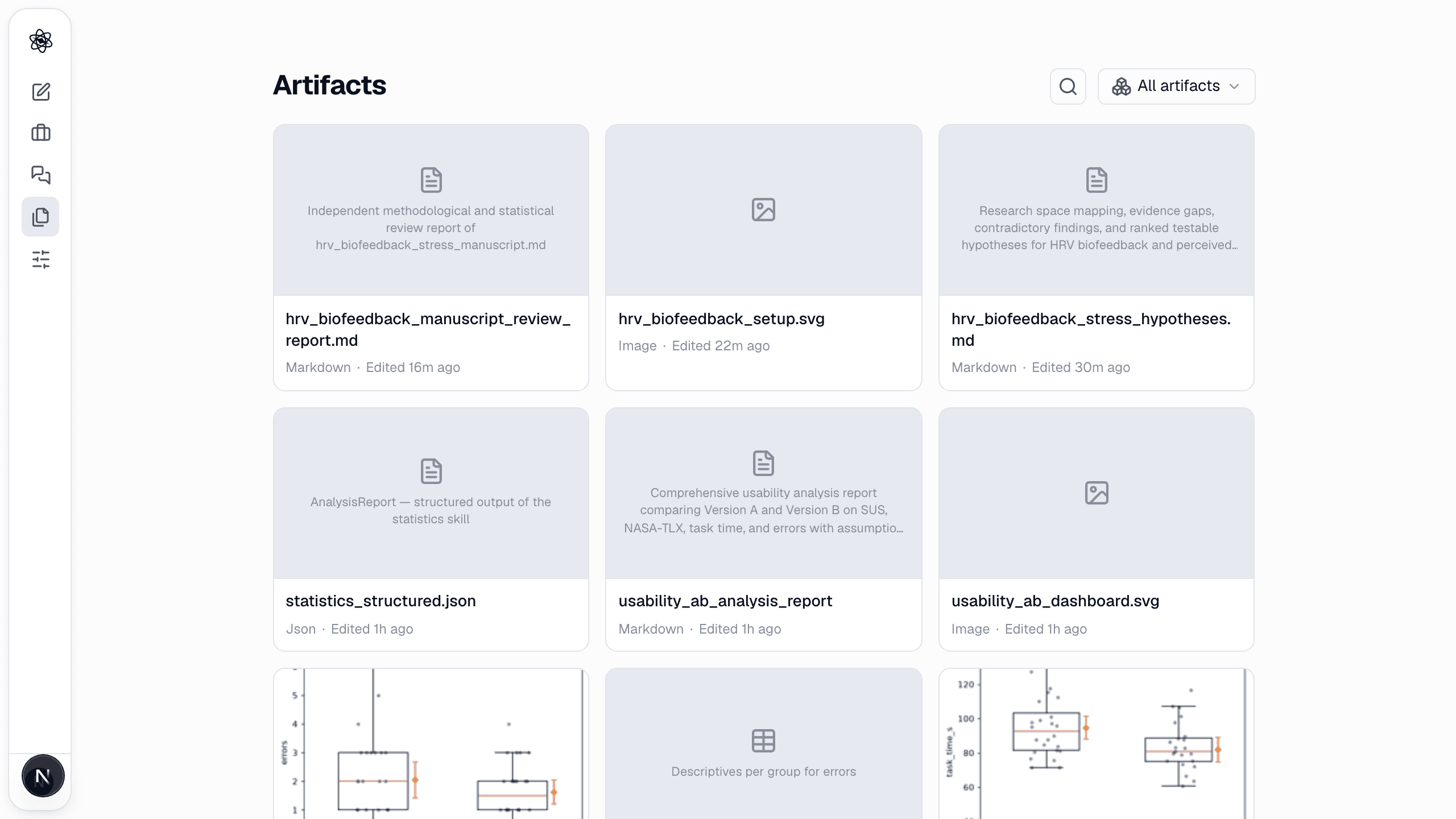
The panel
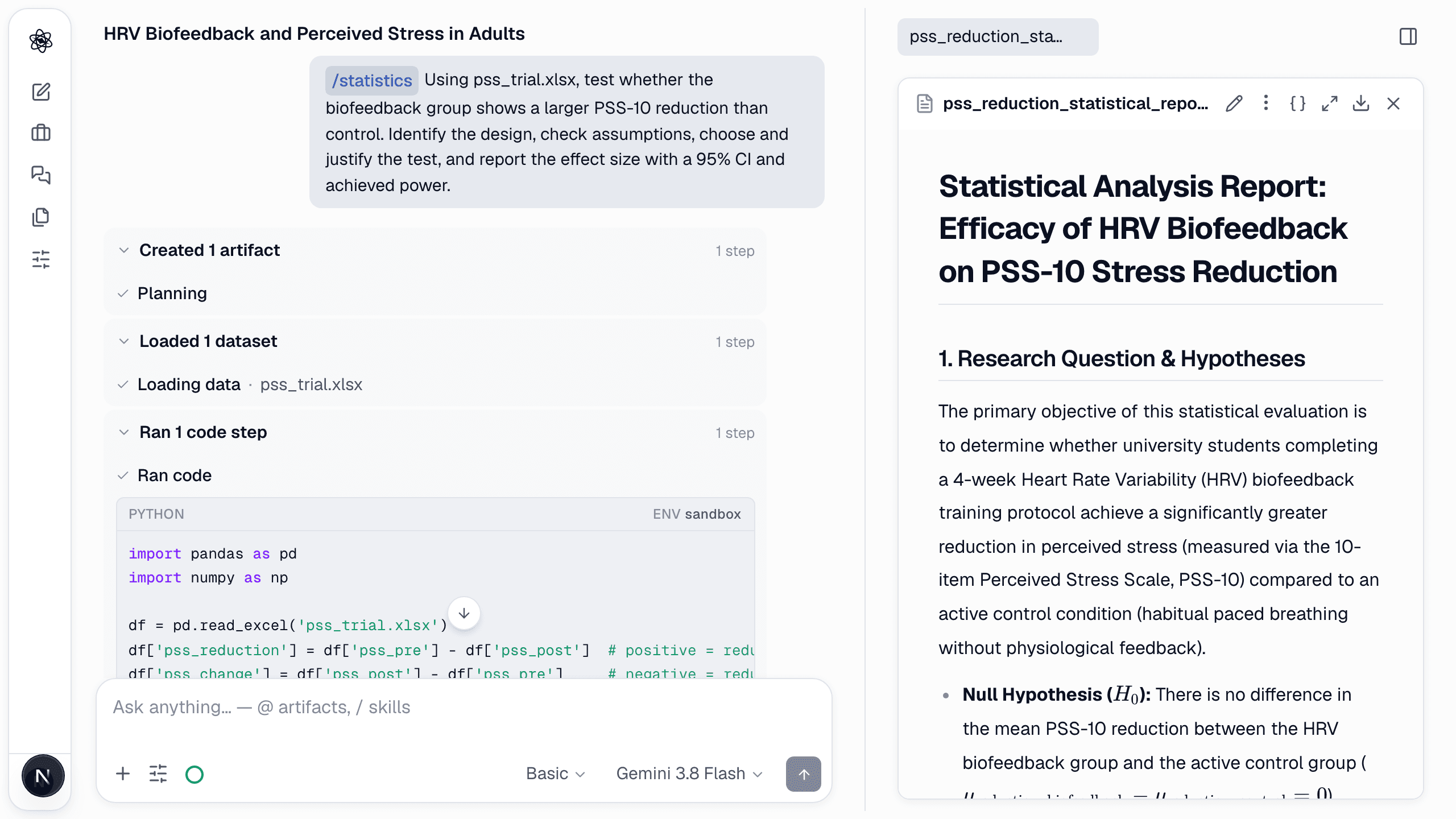
Click an artifact to open the panel on the right. Tabs along the top hold every artifact you opened in this session.
- Reports render Markdown with numbered citations, tables and math.
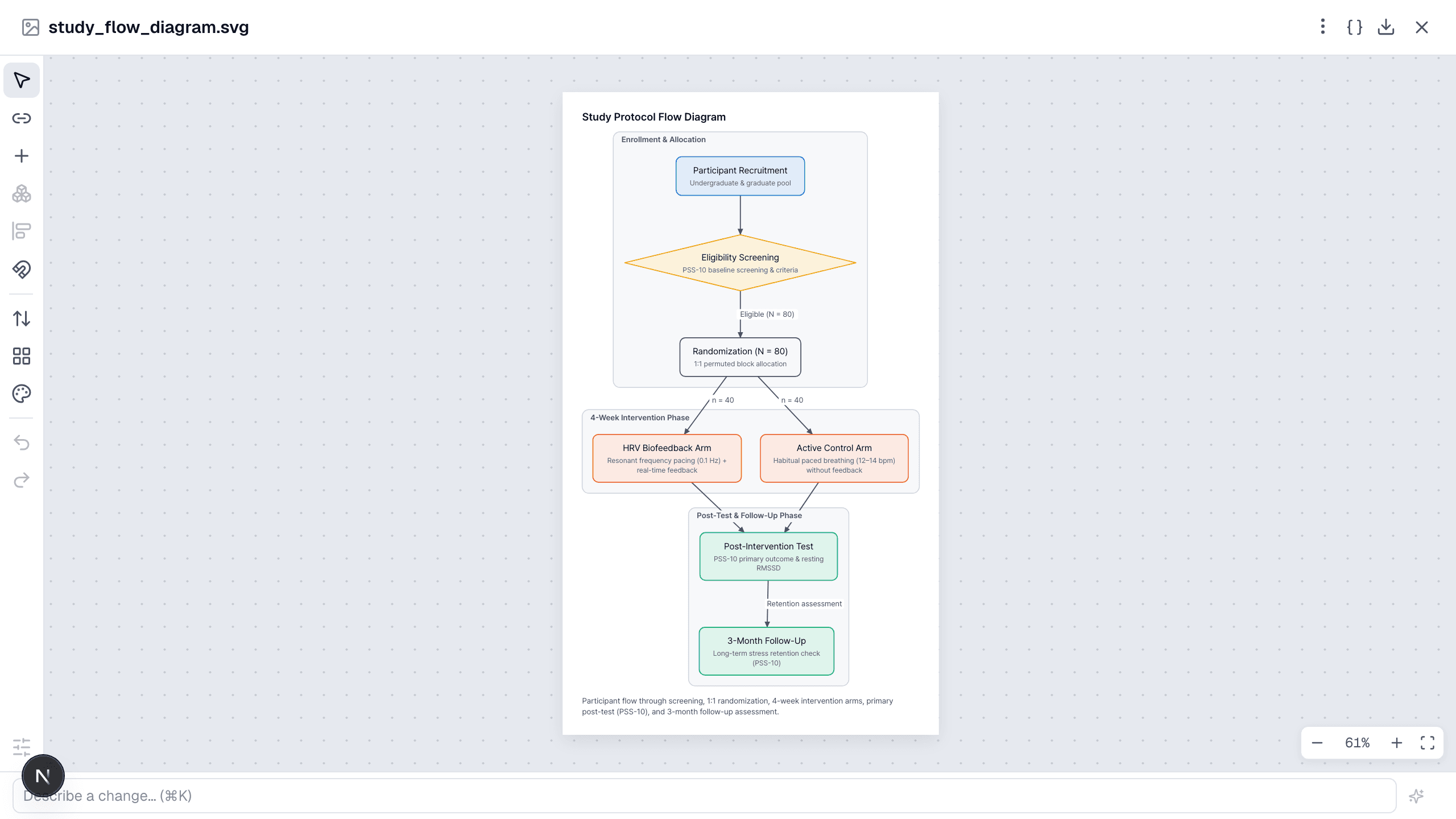
- Figures show the image; vector figures (SVG) zoom and can be opened in the editor.
- Tables show sortable columns.
- Code / JSON show the raw text.
Header actions, left to right: rename, more (copy link, delete), view source { }, expand, download, close.
Edit and revise
- Reports and manuscripts: press the pencil to edit the text in place. Or type a change request in the box at the top of the panel ("shorten the discussion to two paragraphs") — the agent revises the artifact and keeps the previous version.
- Figures: Edit in workspace opens the vector editor to move, restyle or relabel elements. Export as SVG, PNG, PDF or PPTX.
Every revision is kept — the Reproducibility button lists them under Revisions so you can see what changed and when.
Reproducibility
Artifacts produced by code carry a Reproducibility button showing the exact code, inputs and package versions that made them. See Reproducibility & export.
Download and share
Download saves the file. Use Copy link to share the artifact with someone who has access to the session. Manuscripts export as Markdown, DOCX, LaTeX or PDF; figures as SVG/PNG/PDF/PPTX; tables as CSV.