Connect
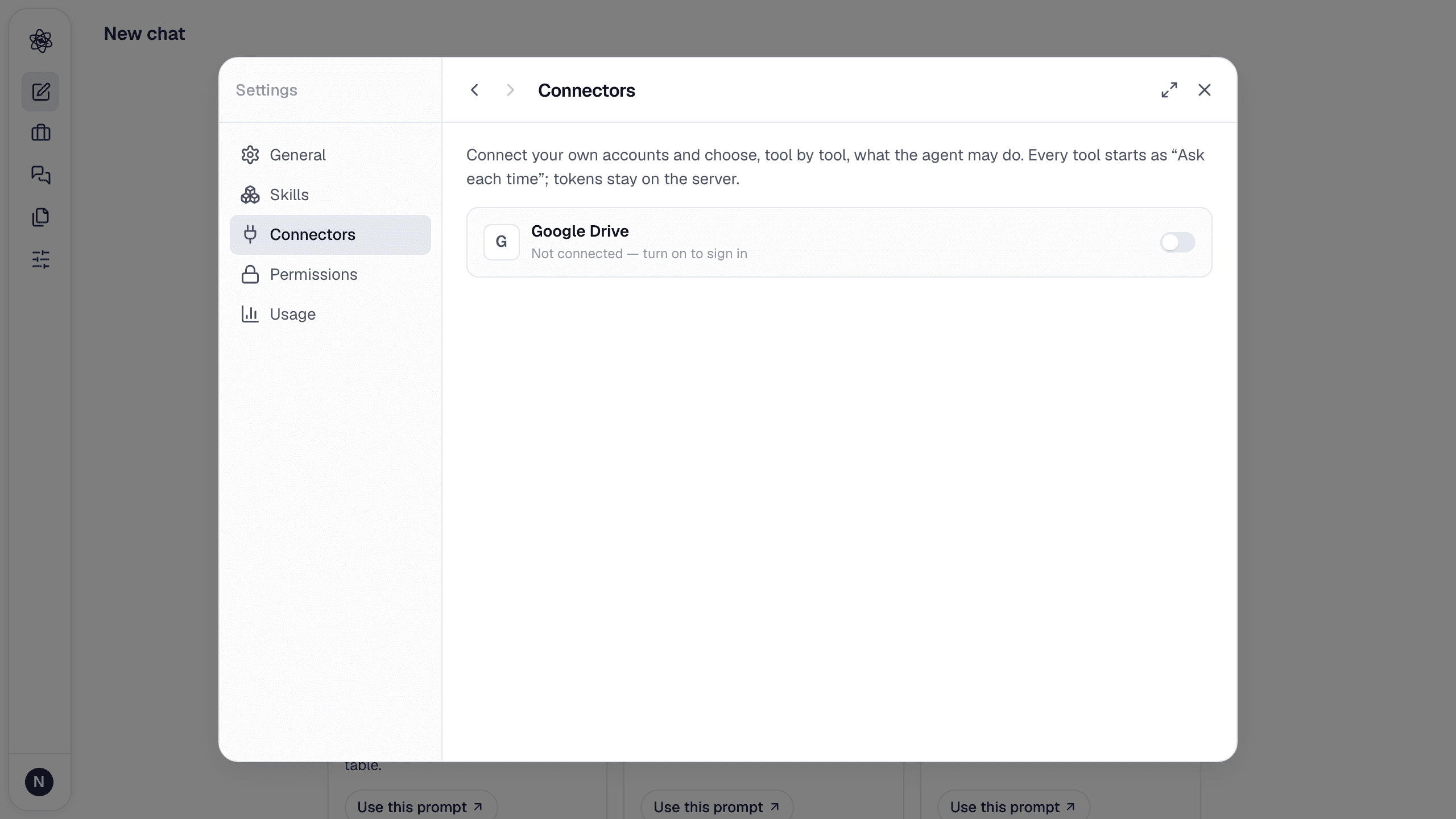
- Open Customize → Connectors and turn on the Notion switch (Not connected — turn on to sign in).
- Notion asks which workspace to use and which pages to share with Neutropic. Pick the pages (their sub-pages are included) and databases you want to work with — Neutropic never sees the rest of your workspace, and you can change the selection any time with Change shared pages in the connector's detail view (or Change shared pages in Notion… at the top of the picker) — both reopen Notion's sharing screen.
- You land back in Neutropic with the connection marked active. The tool list is discovered from Notion's server at this moment; Refresh tools in the connector's detail view re-reads it.
Neutropic connects as a client of Notion's official MCP server (mcp.notion.com). There is nothing to create in Notion's developer console. Tokens are stored encrypted on the server and only used when a turn calls a Notion tool; Disconnect deletes and revokes them.
Permissions, tool by tool
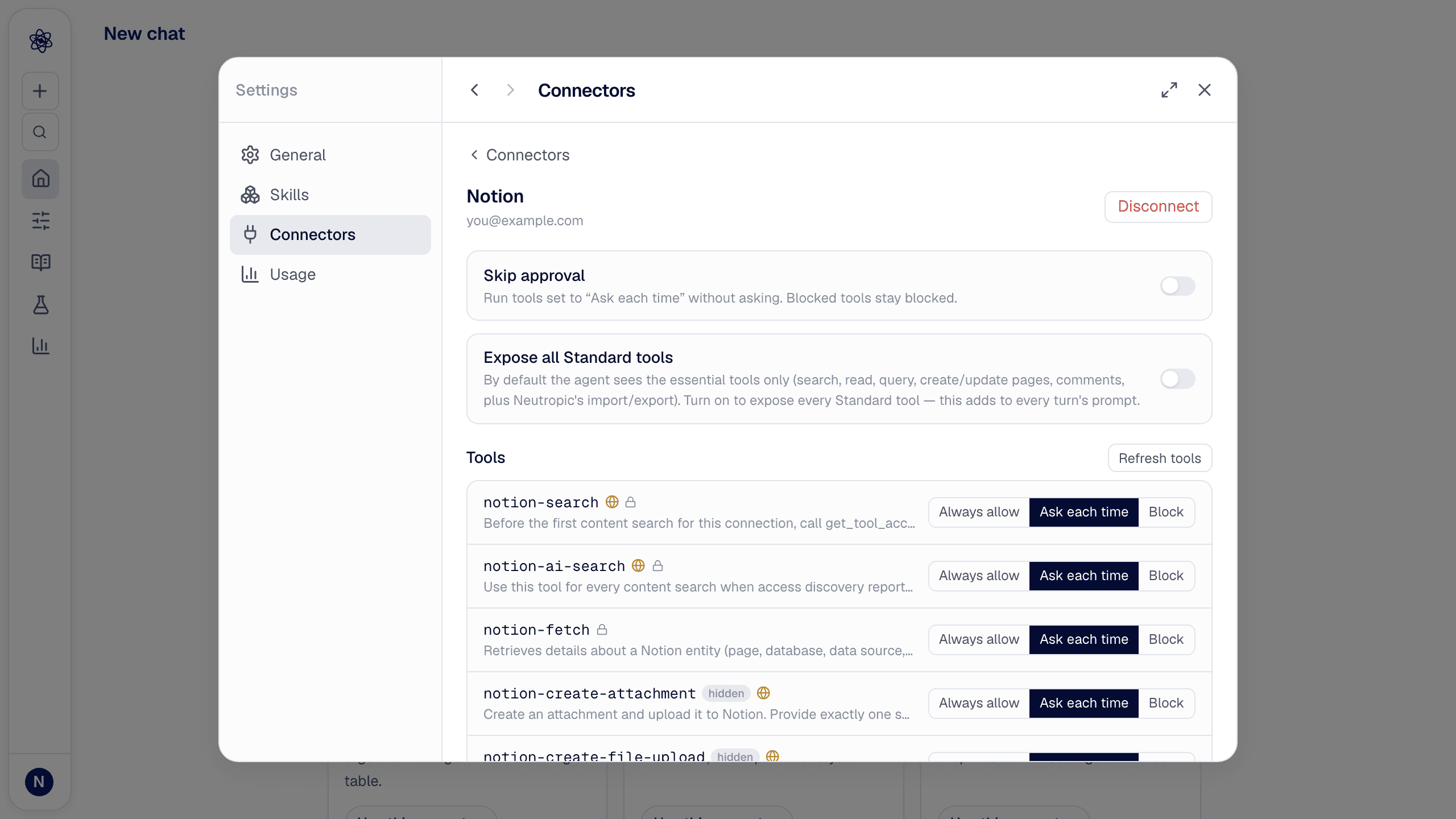
Every tool starts as Ask each time: when the agent wants to use it, an approval card appears in the chat and nothing happens until you allow it. Change a tool to Always allow or Block in the connector's detail view; Skip approval runs all Ask tools without asking.
Tools come in two groups:
| Group | Contains | Default |
|---|---|---|
| Standard | Search, fetch, recent pages, database queries, page and database creation and updates, comments, users, attachments, folders — plus three tools added by Neutropic (badge Neutropic): import_page, import_database, export_artifact | Ask each time |
| Advanced (collapsed) | Notion's agent-session, skill and upgrade-prompt tools, which Neutropic does not use | Blocked — and hidden from the model |
By default the model sees the 9 essential Standard tools (search, AI search, fetch, recent pages, database query, create and update page, comments) plus the three Neutropic tools; the other Standard tools carry a hidden badge until you turn on Expose all Standard tools in the detail view (the full set costs noticeably more prompt tokens per turn, so leave it off unless you need, say, page moves or database views).
Tools Notion adds later appear with a New badge, set to Ask each time.
Use Notion content as data
Notion's own tools return text. To analyze a page or a database like any other upload, the agent uses the Neutropic tools:
- `import_page` saves a page as a Markdown upload in the session, so it can be read, cited and searched (
@reference). - `import_database` reads a database (data source) row by row and saves it as a CSV dataset, ready for
load_dataset, statistics and charts. Select, multi-select, checkbox, relation and formula properties are flattened to text columns. - `export_artifact` writes a manuscript, report or notes from the session into Notion as a new page, under the parent page or database you name — or as a private draft page if you don't.
Ask naturally: "Import my 'Pilot study' database from Notion and describe it", "Export the manuscript to my Lab wiki page in Notion".
Pick pages from the composer · Export from the artifact panel
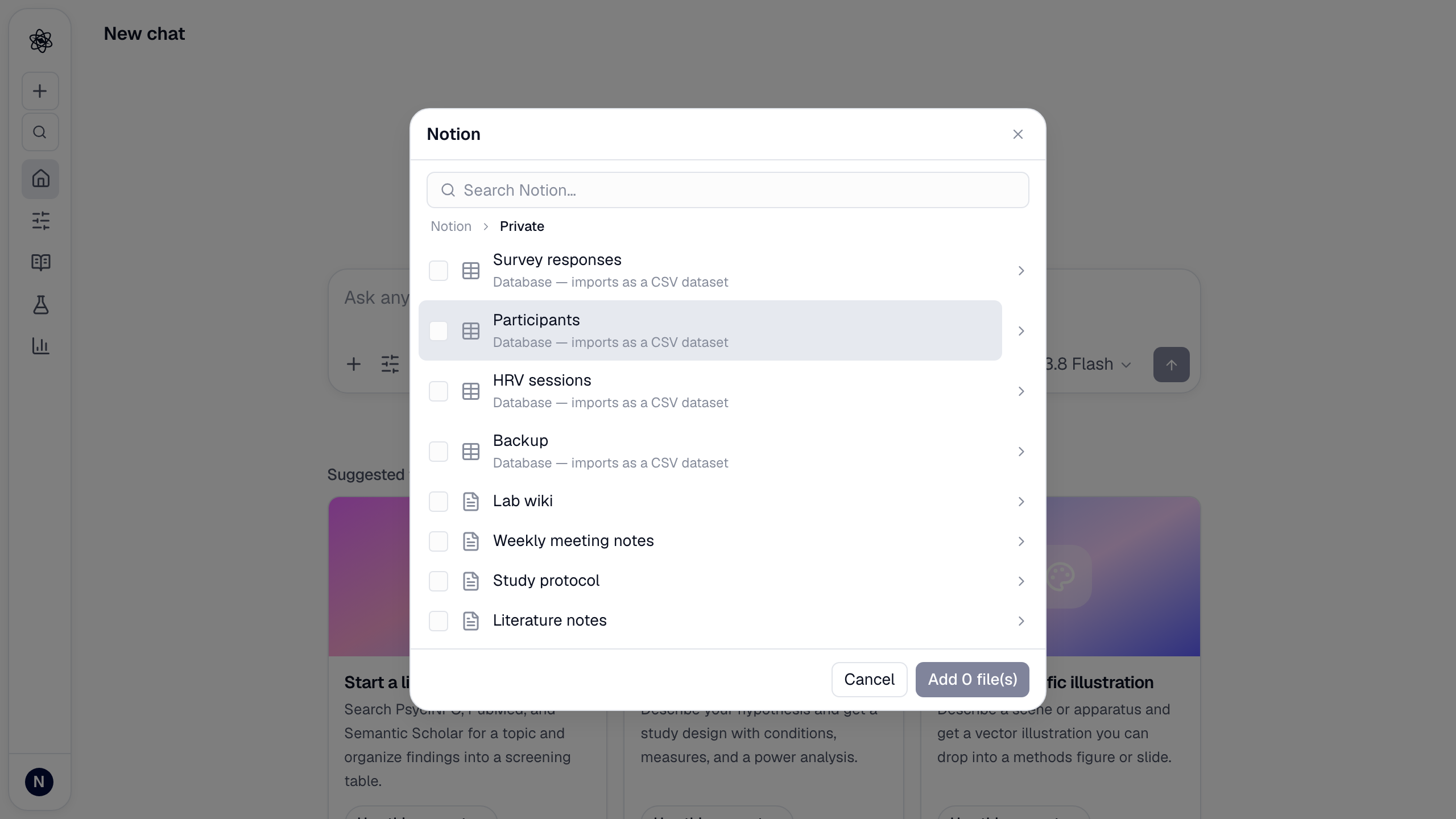
With the connector active, the composer's + menu lists Notion under Connected apps (hover on desktop, tap on touch screens); it shows your workspace the way Notion's sidebar does — Private, Shared with me, Recently viewed and each teamspace at the top, then pages, sub-pages, inline databases and database rows as you drill down with › (a breadcrumb takes you back; selections are kept while you navigate). Typing in the search box switches to search results.
!The Notion picker one level down, inside Private: databases (imported as CSV) and pages. A teamspace's top level lists up to 50 items and a database up to 100 rows in the picker; search for anything beyond that. Pick several and they are imported (pages as Markdown, databases as CSV) and attached to your message as @ references. These direct actions don't go through the tool permissions — you clicked them yourself.
In the artifact panel, the Download menu of a manuscript or report has Export to Notion; the page opens from the toast.
Privacy
Notion content is retrieved only when you, or the agent with your approval, request it; imported content is kept in your project space like any other upload. See the privacy policy, section 4. Content from Notion is treated by the agent as data, not as instructions.
Trouble? See Connector authorization.