Literature review is where research begins — and where most of the wasted weeks live. Searching five databases with five interfaces, deduplicating exports, and stitching quotes into a document that goes stale the moment it's finished. Here is how the same work runs in Neutropic, step by step, in one real session. The question is whether heart-rate-variability (HRV) biofeedback reduces perceived stress in adults; every screenshot below is from that session.
Step 1 — Ask the question
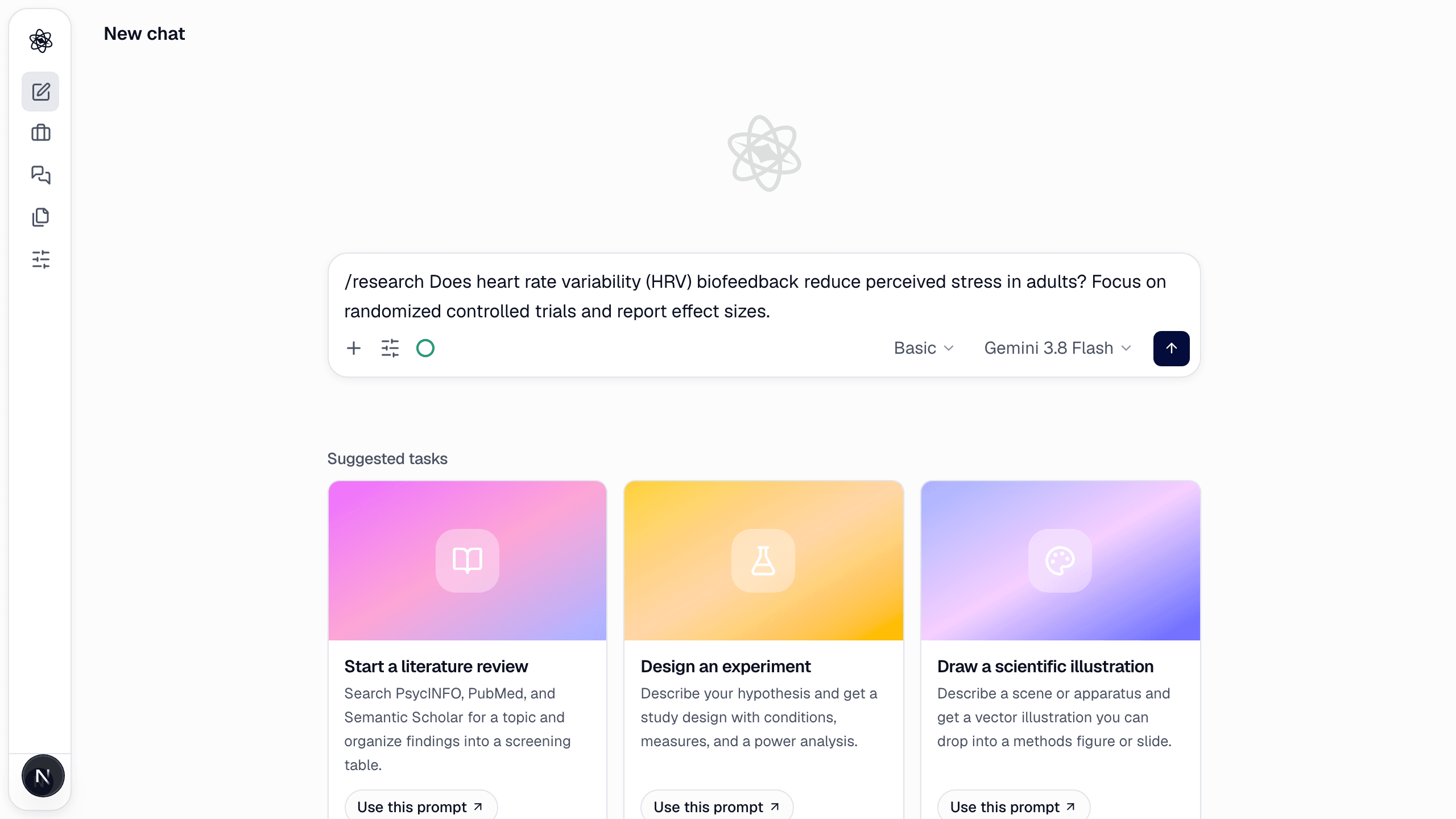
Open a new chat and type the question with the /research command. Plain language is fine; the command only tells the agent which workflow to run. Effort level and model sit next to the send button — Basic is enough for a first pass.
/research Does heart rate variability (HRV) biofeedback reduce perceived stress in adults? Focus on randomized controlled trials and report effect sizes.
Step 2 — The scope comes from the question
The agent does not ask anything first. Source types, venue tier and time window are taken from the question itself — here, "adults", "RCTs" and "effect sizes" — and whatever it had to assume is stated in the first line of its summary, so a follow-up turn can redirect it. If you care about a setting, write it into the question.
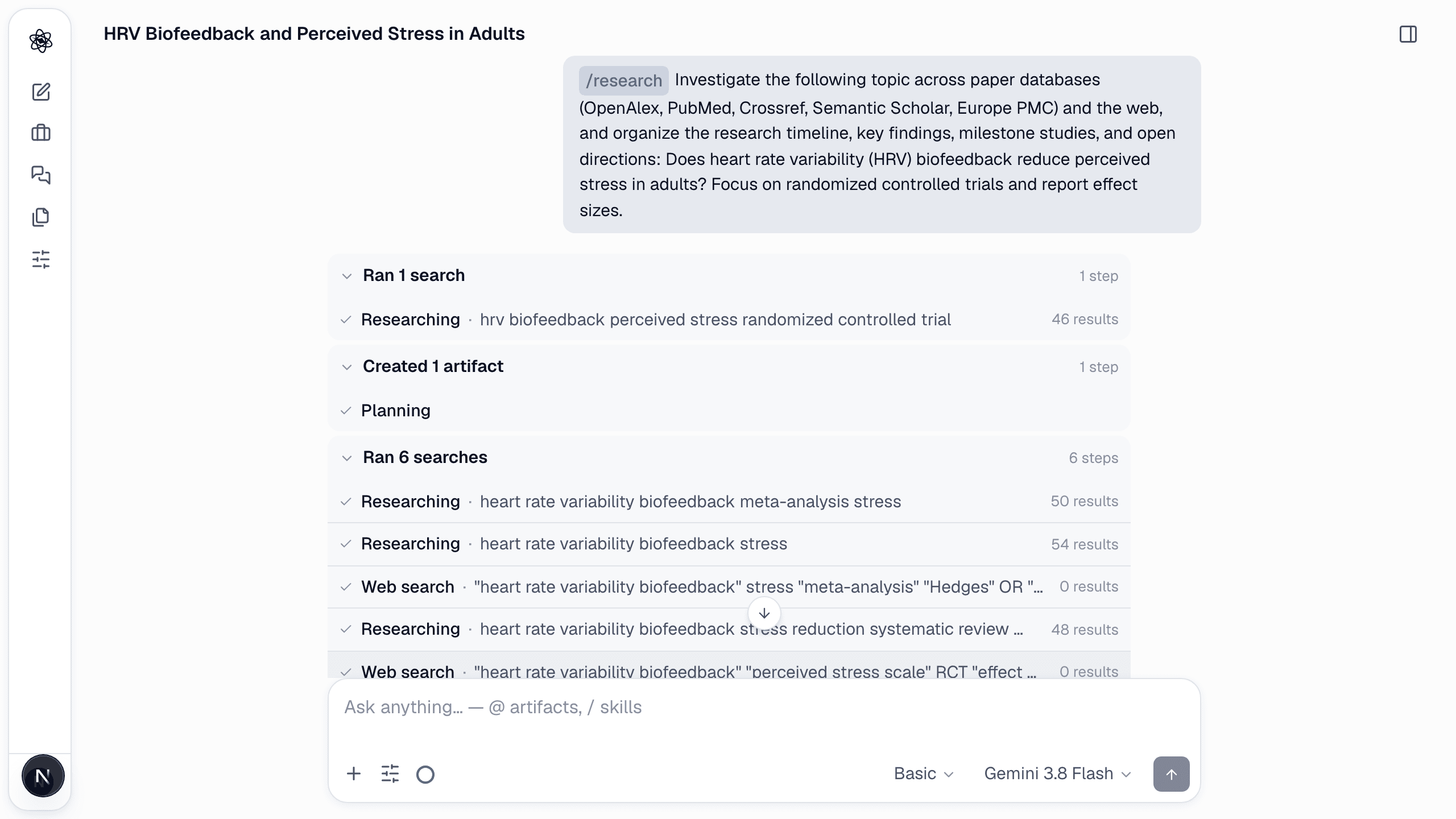
Step 3 — Watch the searches run
The agent fans out across OpenAlex, PubMed, Crossref, Semantic Scholar and Europe PMC — plus Scopus, Web of Science and KCI when your institution's access is connected — then adds targeted web searches for the meta-analyses it found by name, and reads a page or two in full. Every search is listed with its query and result count while it runs, so you can see what was covered and re-run a query yourself.
Step 4 — Read a report where every sentence is accountable
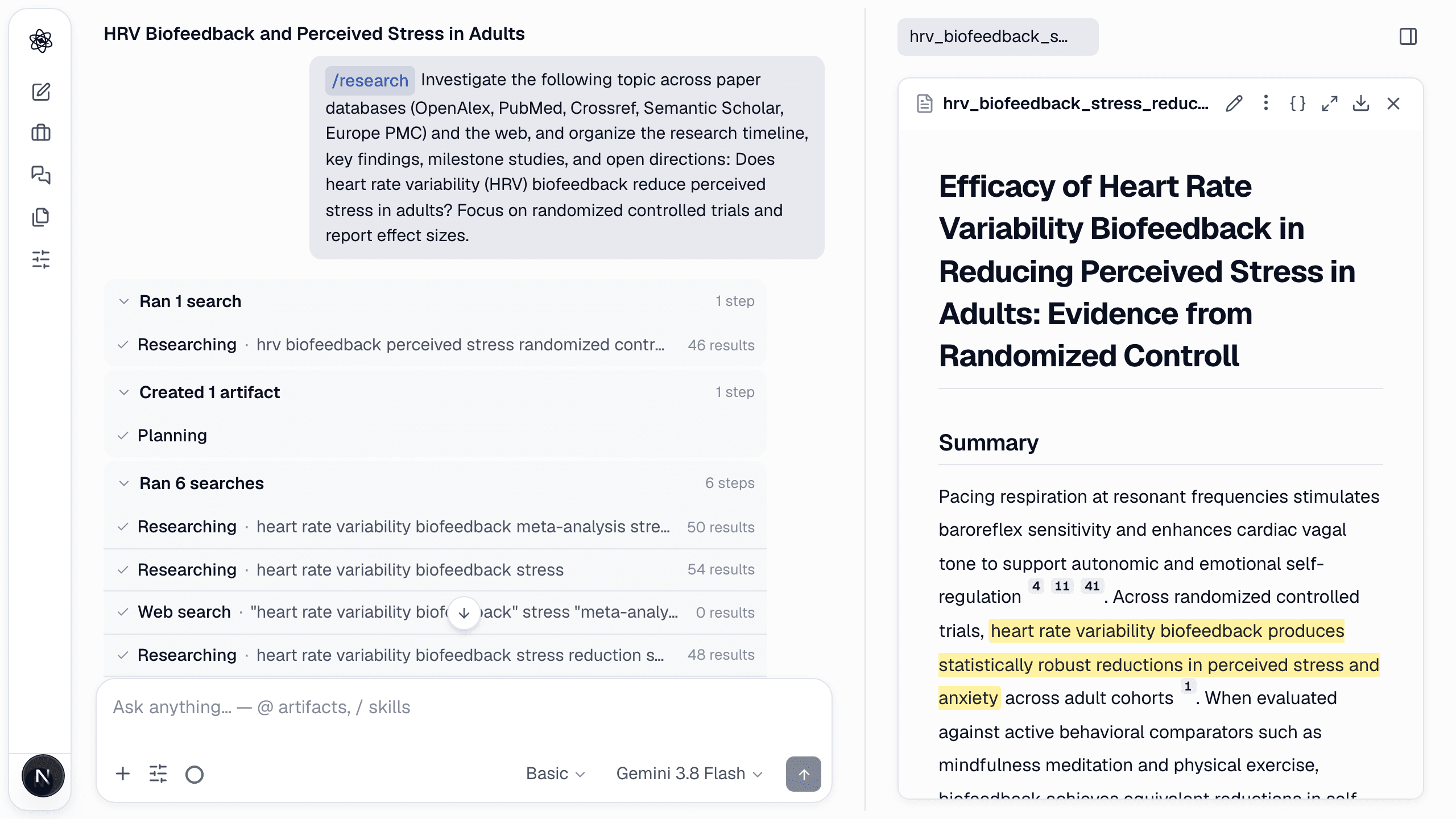
The output is not a pile of abstracts but a synthesized review in which every sentence carries an inline [n] citation to a real, checked source. Click a sentence and the source panel shows which studies support it and why. Sentences no source supports are removed, not smoothed over.
- Claims attributed to a named study cite the original paper, not a later mention of it.
- A screening table breaks the evidence down by database, venue tier and year, and a citation graph and research mind map show how the sources relate.
- Gaps and contradictory findings are listed explicitly — the raw material for the next step, hypothesis building.
Step 5 — Keep it alive
A review in Neutropic is a living artifact. Re-run it next quarter and new publications flow into the same structure with changes highlighted — so the review you wrote for the grant application is still accurate when the reviewers read it. And because the sources stay in the session, the design, the analysis and the manuscript that follow can cite them by number.
The goal isn't to read less. It's to spend your reading on the papers that matter, with the bookkeeping already done.