The template list
Templates in the left panel lists writing templates for research documents — journal articles, literature reviews, theses and dissertations, grant applications, research proposals, conference papers, abstracts, lab reports, posters, cover letters and rebuttal letters. Many follow a publisher's or a reporting guideline's format (APA, IEEE, ACM, Nature, PLOS, Elsevier, SAGE, NIH, NSF, KCI, J-STAGE, EQUATOR Network checklists such as CONSORT and PRISMA).
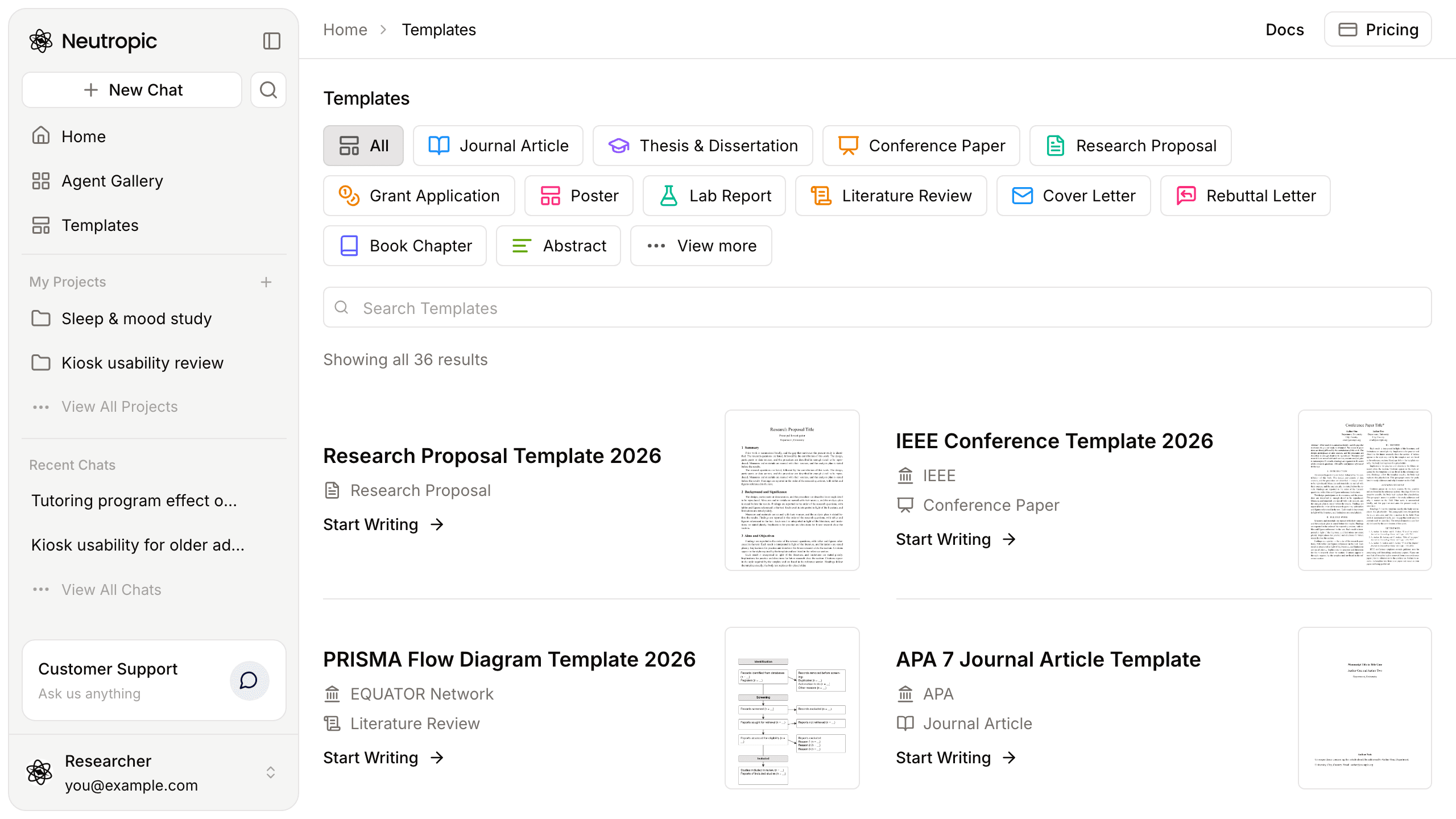
Narrow the list with the kind chips above it, or press View more at the end of that row for Filter by Format (Word, LaTeX, Markdown), Filter by Topic and Filter by Publisher (topics and publishers can be combined); Search Templates searches by title. On a tablet the chip rows scroll sideways; on a phone the same filters are dropdowns. Click a thumbnail to preview the template's pages.
A template's page
Click a template's name for its page: a preview, examples of that kind of document, and a guide — Steps to Use This Template with Neutropic Agent, Best Practices and Before You Submit: Final Check — followed by related templates and frequently asked questions.
Start Writing
- Press Start Writing (in the list, the preview or the template's page). Home opens with the writing agent picked and a prompt for this template in the composer, and the template file is attached.
- Fill in your topic — and anything else you want, such as the research question, the data or the target journal — and send.
- The agent searches the literature, drafts the document section by section with numbered citations, and typesets it in the template's format. For LaTeX templates you get the
.texsource and a compiled PDF in the chat's files.
Want to keep editing in Neutropic instead? Write in Notebook on the template's page runs the same draft as a Markdown report that follows the template's sections; press Save to notebook on it to continue in a notebook with citations and a reference list.
Writing uses tokens like any other task; the level you pick next to Send sets how thoroughly it searches and checks.