Your chats in the left panel
Every task you send becomes a chat, listed under Recent Chats in the left panel, newest first. A spinner on a row means its task is still running — you can open other chats meanwhile. The magnifier next to New Chat (and View All Chats when the list is long) searches your chats by title.
Pinned Chats sits above Recent Chats once you pin something: pinned chats stay at the top, marked with a pin and a yellow dot, until you unpin them. Pins follow your account across browsers and devices.
Each row's ⋯ menu has:
- Pin Chat / Unpin Chat
- Share — a read-only link; see Share a chat
- Rename
- Add to project (or Change project, and Remove from project for a chat that is already in one) — see Projects
- Delete — removes the chat, its messages and its files. This can't be undone.
The chat header
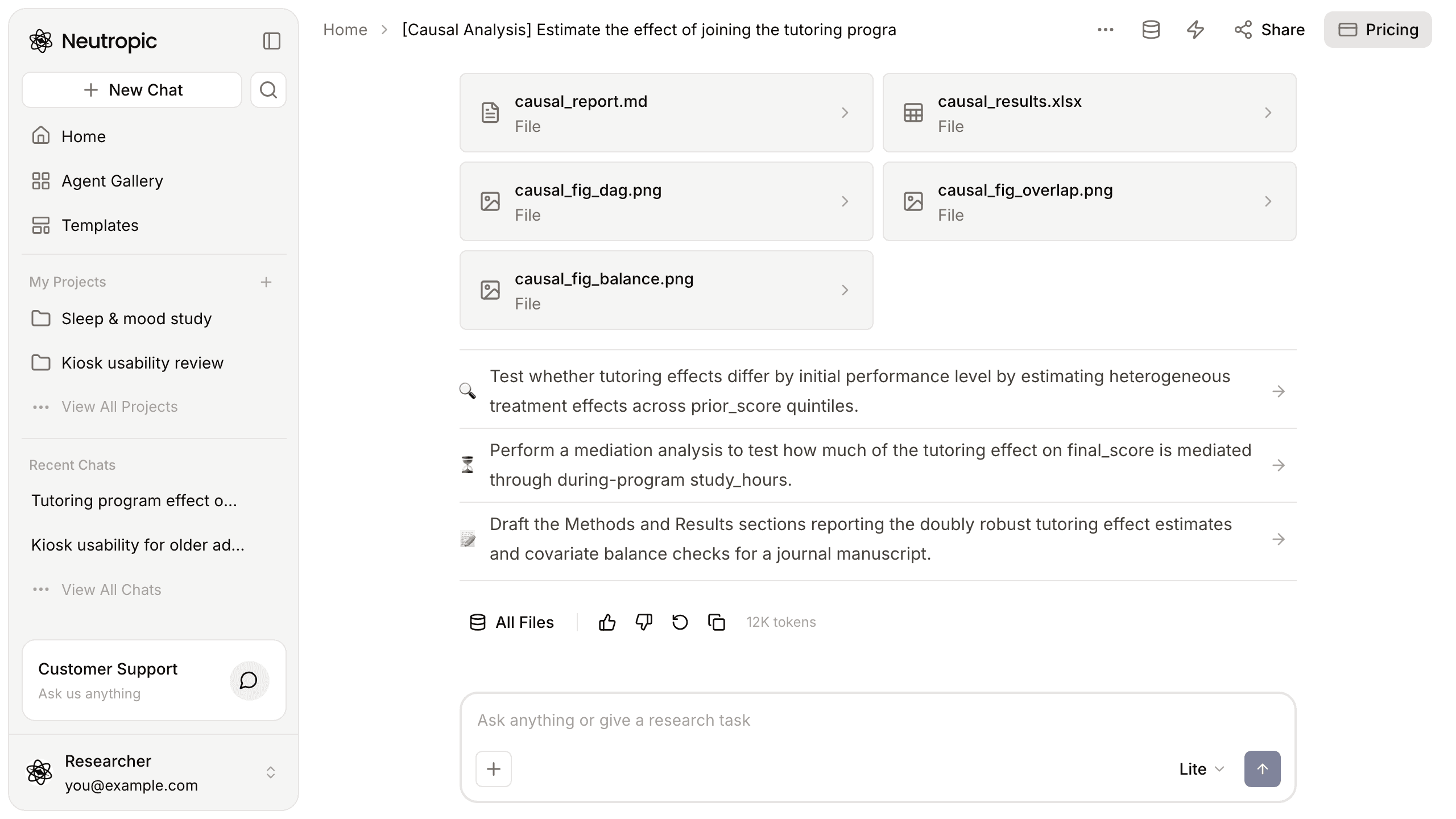
On the left, the breadcrumb shows Home (or the chat's project) and the chat title — click the title to rename it. A Public badge means the chat has a public share link. On the right:
- ⋯ — New Chat, Pin Chat, Rename and Delete.
- Files (database icon) — the chat's uploads and created files in the right panel; see Files & the panel.
- Tokens — your plan, the tokens left this month and when they reset; Check Usage opens Settings → Usage. See Usage & storage.
- Share — create or revoke a read-only link.
- Pricing — compare plans and upgrade.
On a phone the header shows the chat title, + (new chat), Pricing and ⋯; Files and Tokens are inside ⋯ (Chat Options).
Answers
Under each answer:
- All Files opens the chat's files.
- Like / Dislike tell us whether the answer helped.
- Regenerate runs the last request again; Copy copies the answer.
- The number of tokens the turn used.
Above the composer, suggestion rows propose the next step. A row with an agent name runs that agent in this chat; other rows are sent as your next message. When a request you type fits a gallery agent better than a quick answer, a card asks first — Run with this agent, Just answer here or View agent.
Long chats
A chat remembers everything above it. When a chat grows very long, Neutropic summarizes the earlier part automatically so you can keep going in the same chat. For a new topic, start a New Chat — it keeps answers focused and uses fewer tokens.