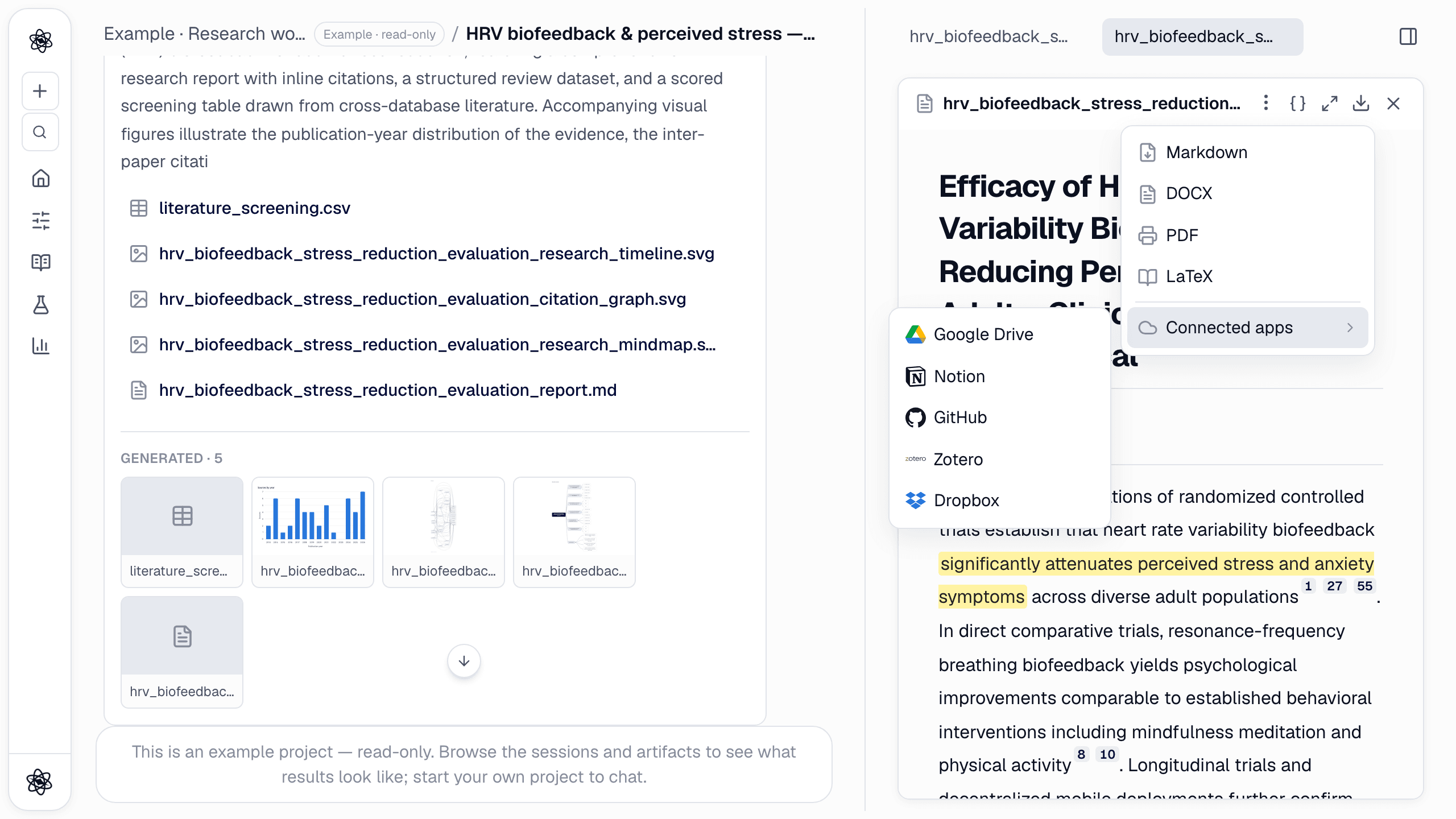
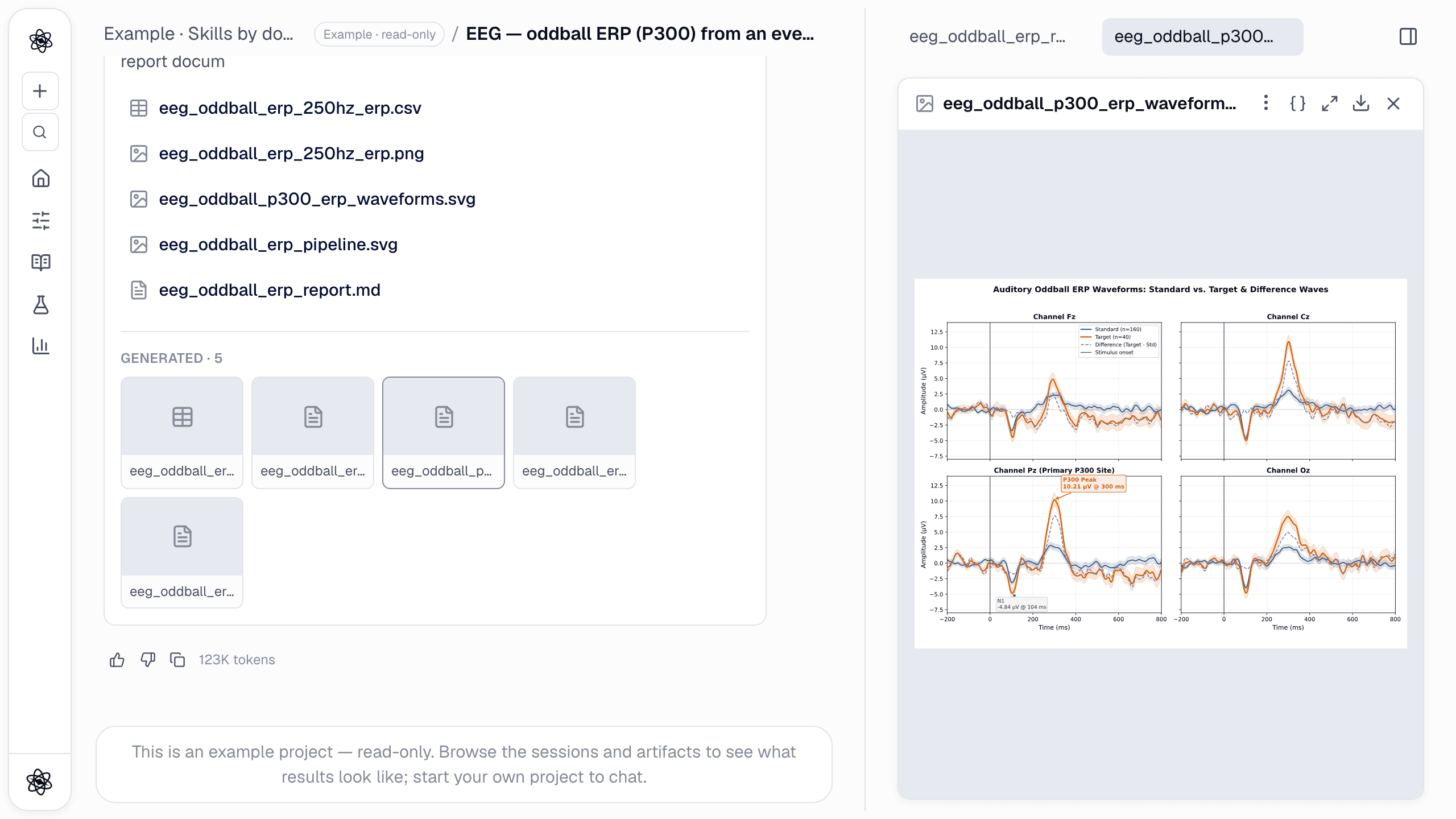
Every plan in Neutropic comes with an allowance of managed tokens. How far it goes depends on two choices you make in the composer before each message: the effort level and the model. This guide covers how both affect token use, where to check what you've used, and what happens when a chat gets very long.
How tokens are counted
Each turn is charged for what it actually used: every model call, search and review step that ran to produce the answer. Nothing is reserved in advance, and a turn that finishes early costs less.
- Bigger models cost more per turn. The same question uses more of your allowance on Claude Opus 5.5 than on GPT-6 Luna.
- Deeper turns cost more. A Deep turn reads more, writes more and adds a reviewer pass, so it uses roughly twice what a Basic turn does. A Lite turn uses roughly a quarter.
- Every answer shows its cost. The token count sits under each reply, next to the copy and retry buttons.
There's a monthly allowance and a daily cap. The daily cap spreads the month out so that one heavy day can't use it all up. If you reach it, the composer tells you when it refills (midnight, your time). Once the desktop app is released, turns that run on a local model there won't be counted.
Effort levels: Lite, Basic, Deep
The effort control sits next to the model name in the composer. The default is Basic, and the level applies to the whole turn, including search, report writing and review.
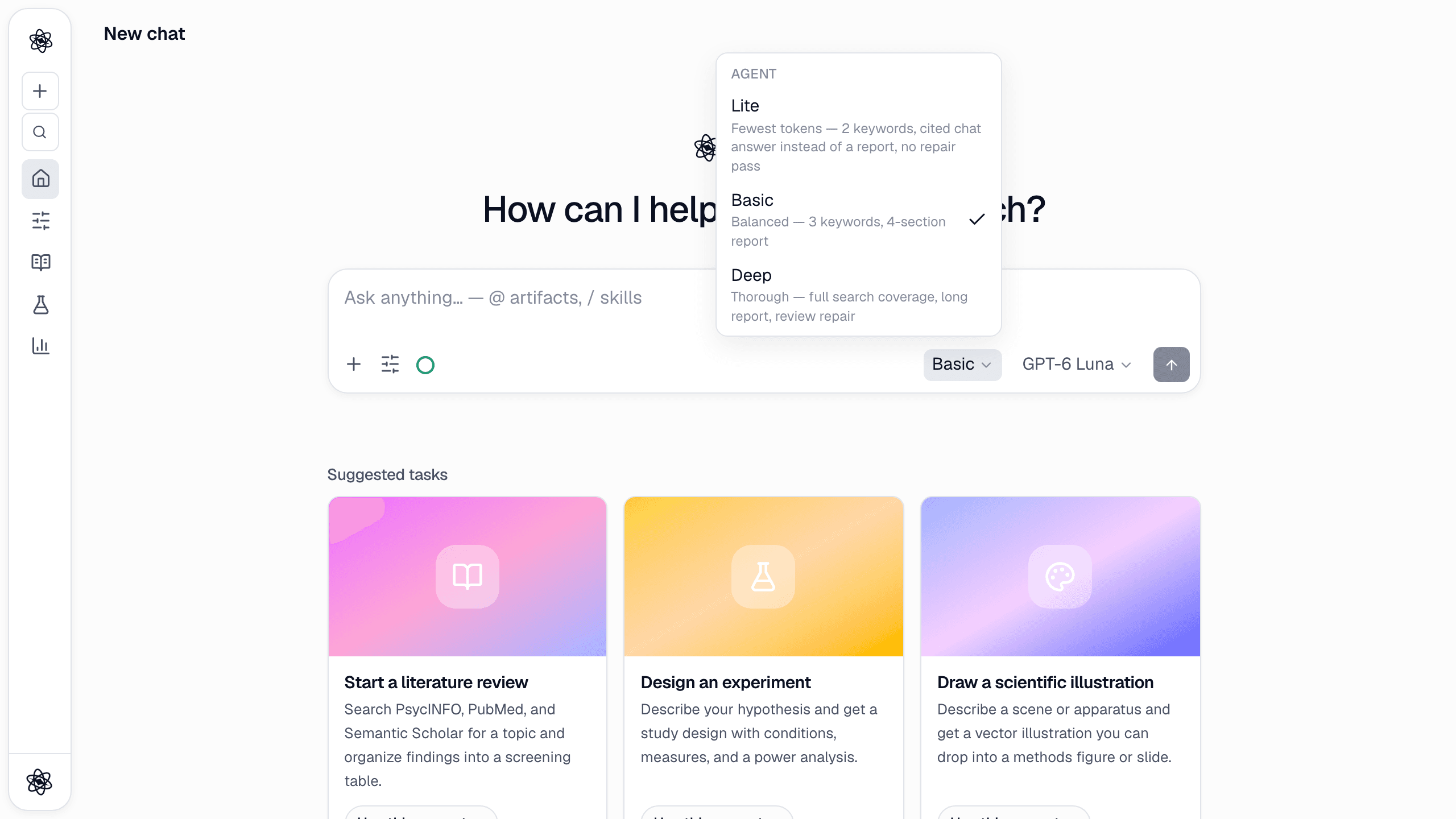
- Lite answers from what it can find quickly: up to 4 searches, no sub-agents and no planning. You get a sourced chat answer with citations instead of a report document. Use it for quick facts, definitions and getting your bearings.
- Basic writes a 3–4 section report with checks on coverage and whether each cited sentence is supported. It runs up to 8 searches and can hand parts of the work to sub-agents. It's the right level for most day-to-day research.
- Deep runs the full pipeline. There's no search cap, and after the main pass it reads the full text of the top sources, extracts claims and searches again for the weakest parts of the plan. It also checks where re-cited claims originally came from. The report is longer (up to 6 sections, with comparison tables and timelines), and a reviewer always checks the result. If the reviewer finds a gap, the turn goes back and fixes it.
Each level also gets its own step budget, and Deep gets by far the most. If a turn does run out of steps, the chat says so and offers a Continue button to pick up where it stopped. On Basic, you can add the reviewer pass yourself: open the sliders icon in the composer and turn on Auto-review.
Choosing a model
The model menu next to the send button lists every model grouped by provider. The bars next to each name show how fast it uses your allowance: one bar is light, two standard, three heavy. A lock marks models included with paid plans.
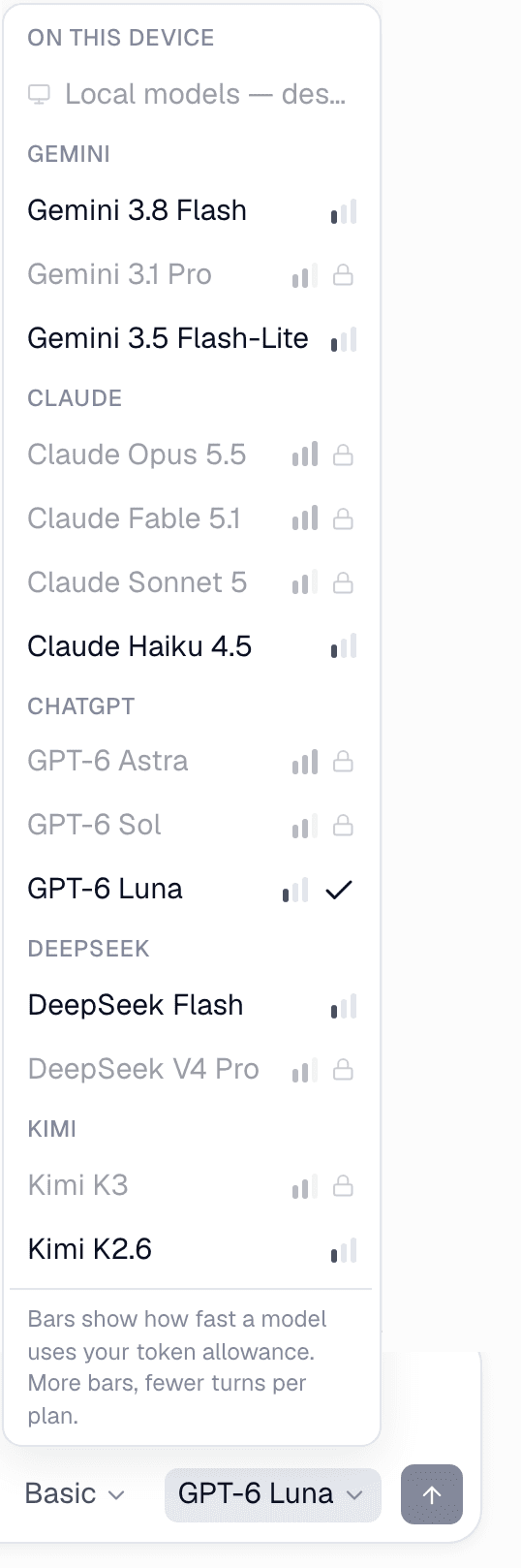
- On every plan, including Free: GPT-6 Luna (the Free plan default), Gemini 3.8 Flash, Gemini 3.5 Flash-Lite, Claude Haiku 4.5, DeepSeek Flash and Kimi K2.6. All are light.
- On paid plans: Claude Opus 5.5, Claude Fable 5.1 and GPT-6 Astra (heavy), plus GPT-6 Sol, Claude Sonnet 5, Gemini 3.1 Pro, DeepSeek V4 Pro and Kimi K3 (standard).
Your choice is remembered across chats, and you can switch for a single message. For more on the newest models, see GPT-6 Sol, GPT-6 Luna and Claude Opus 5.5 are now in Neutropic.
Model and effort are separate choices, so you can combine them. A light model on Deep is often a better trade than a heavy model on Lite: the effort level decides how thoroughly the work is done, and the model decides how well each step is reasoned.
Where to see your usage
Open Customize → Usage. The top of the page shows your plan, today's usage against the daily cap, this month against your allowance, any promotion tokens and your storage.
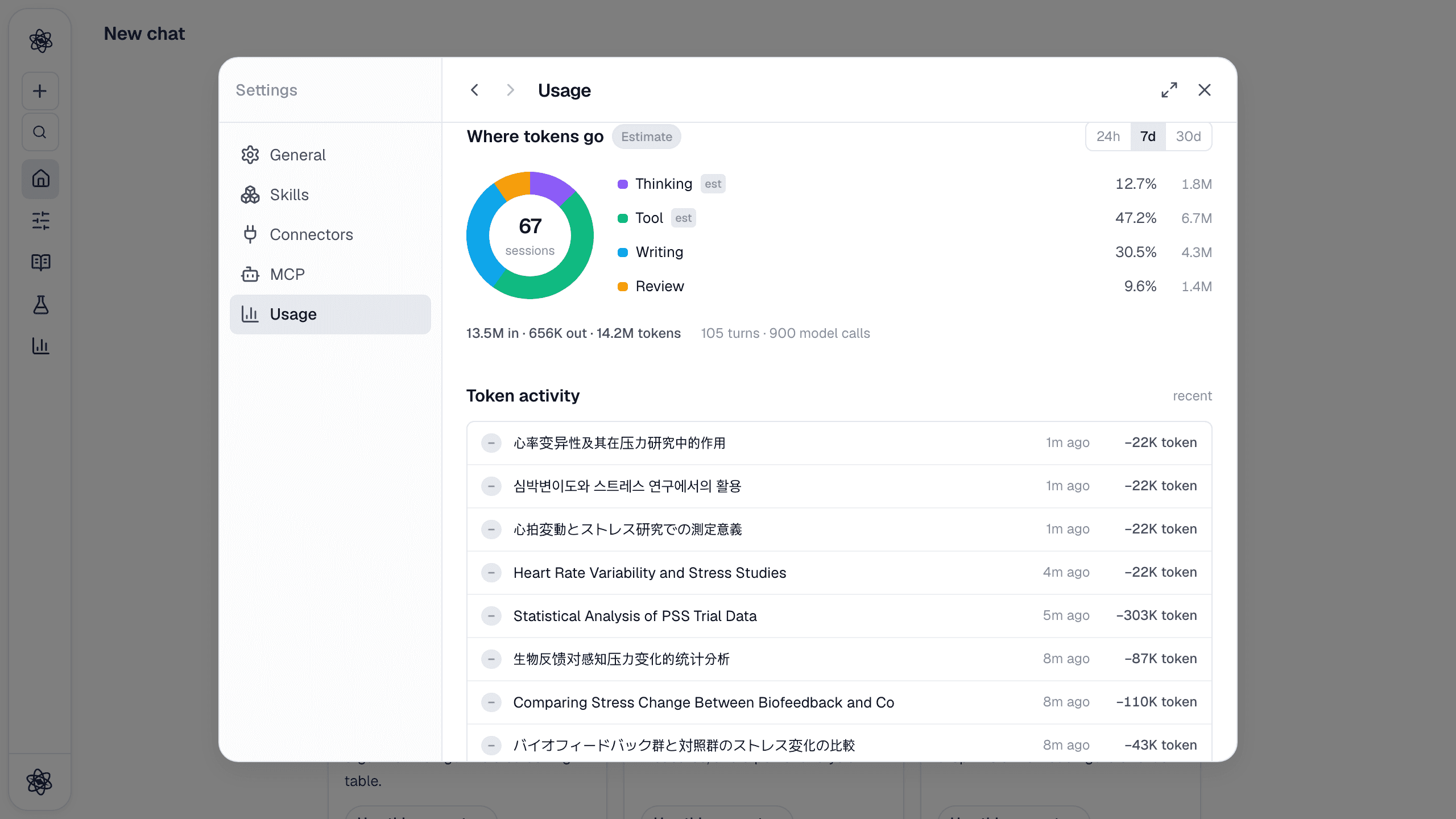
Further down, Where tokens go splits recent use by activity: thinking, tool calls, writing and review, over 24 hours, 7 days or 30 days. Token activity lists each chat with what it used, so you can see which conversations were expensive.
Long chats: summarised in place
Each reply carries some of the chat's earlier conversation as context. How much it can carry depends on the model, since smaller models lose track sooner. The small ring in the composer shows how full it is, and hovering it shows the numbers.
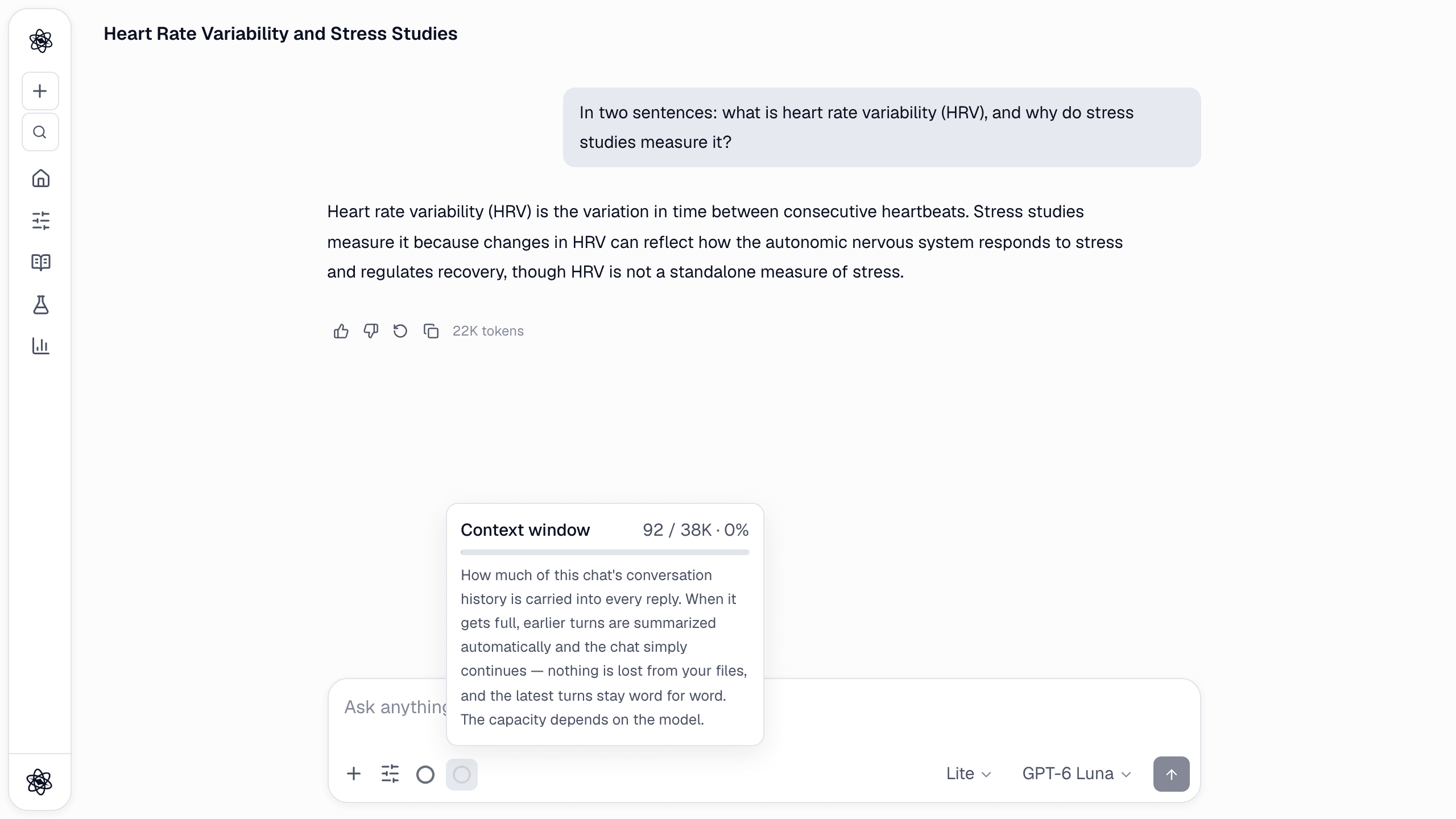
When a chat reaches about 90% of that capacity, the next turn starts by summarising the earlier conversation, right there in the same chat. You'll see a short notice, the last couple of turns stay word for word, and the answer carries on from the summary. You don't have to start a new chat. Your files, reports and figures aren't touched, and you can still refer to them by name.
If you'd rather control what the summary keeps, run /compact yourself before switching to a new sub-task, and name what must survive in detail:
/compact Keep the exact effect sizes and the list of excluded studies in detail.
Practical tips
- Start on Basic. It gives you a sourced report with support checks at a moderate cost. Move up or down from there.
- Use Lite for quick facts. A definition, a unit conversion or the name of a scale doesn't need a report, and a Lite answer still carries citations.
- Save Deep for work that will be read by others. Manuscripts, a final literature review and a Peer review of your draft all benefit from the extra reading and the reviewer pass.
- Pick the model to match the job. A light model is enough for quick questions and first drafts. Choose a heavier one when reasoning quality matters more than speed.
- Keep one topic per chat. A chat about one project stays well under its context capacity for longer. Use /compact when you change direction.
- Check Usage once a week. Token activity shows which chats were heavy, which is the fastest way to adjust your habits.
For the full reference, see Effort levels & models, Usage & storage, and pricing for each plan's allowance.