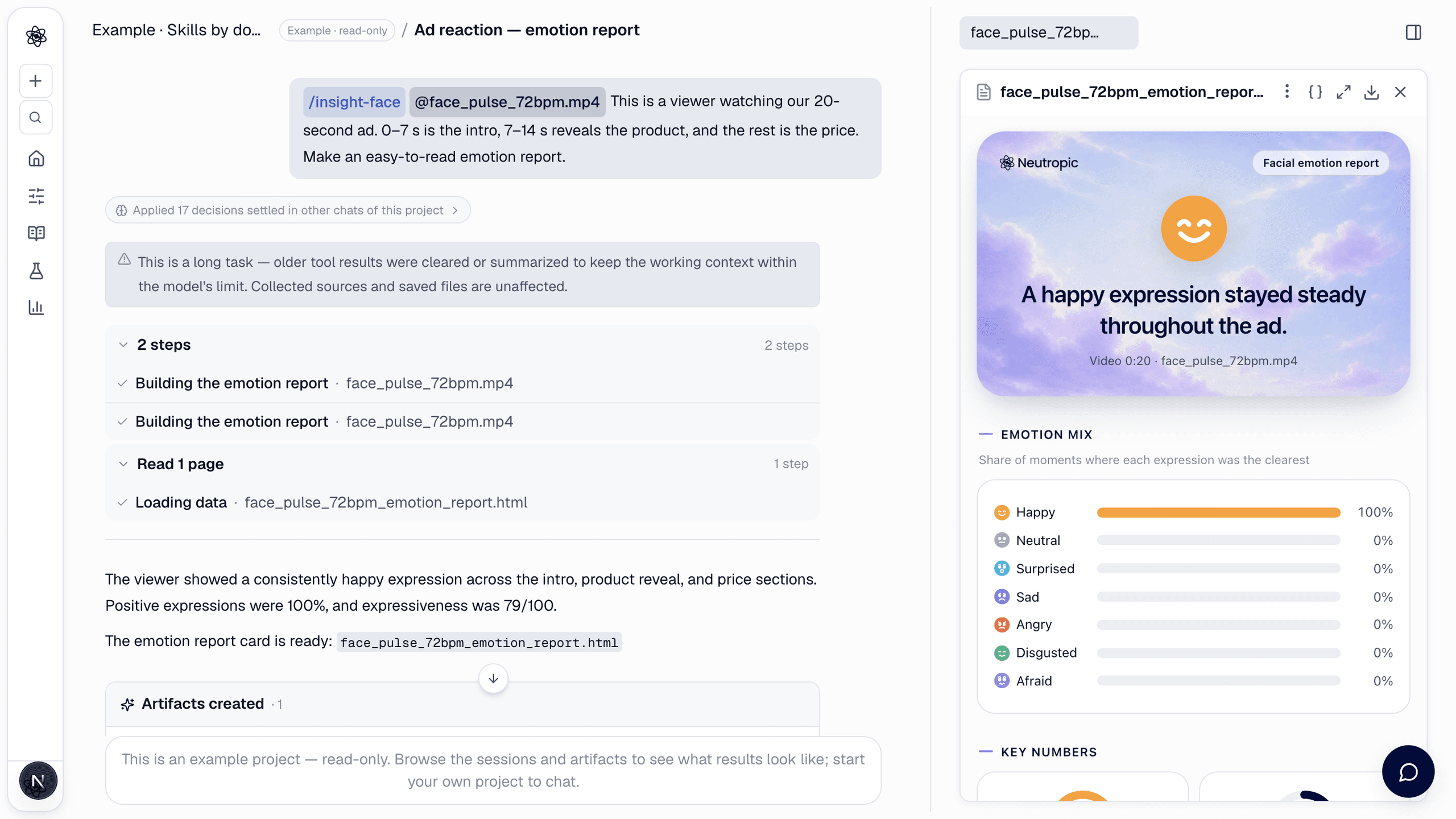
Insight is a new family of reports for people who are not researchers — marketers, event hosts, creators. The first one, facial emotion report (/insight-face), turns a face video or photo into a card you can read in a minute and share as an image.
It is built on the same face analysis Neutropic uses for research, but the output speaks plainly: no action units, no statistics, no personality claims. Every number on the card is computed by code; the model only writes the sentences, from those numbers.
How to call it
Open Insight from View All Tools, or type the command and attach the clip:
/insight-face This is a viewer watching our 20-second ad. 0–7 s is the intro, 7–14 s reveals the product, and the rest is the price.
Name the scenes if you want a reaction per scene; otherwise the video is split into equal parts. A photo works too.
What you get
One card page, <file>_emotion_report.html:
- Headline card — the main expression and one sentence about what stood out.
- Emotion mix — the share of moments in which each expression was the clearest: neutral, happy, surprised, sad, angry, disgusted, afraid.
- Key numbers — positive expressions (%), expressiveness (/100), emotional range (/100) and facing the screen (%).
- Emotion flow — a positive↔negative curve with a ribbon of the main expression over time.
- Highlights — up to three moments, such as the biggest smile or the strongest reaction, each with a face thumbnail and a time.
- Reaction by scene, a short reading, and a note on what the numbers can and cannot tell you.
Several people
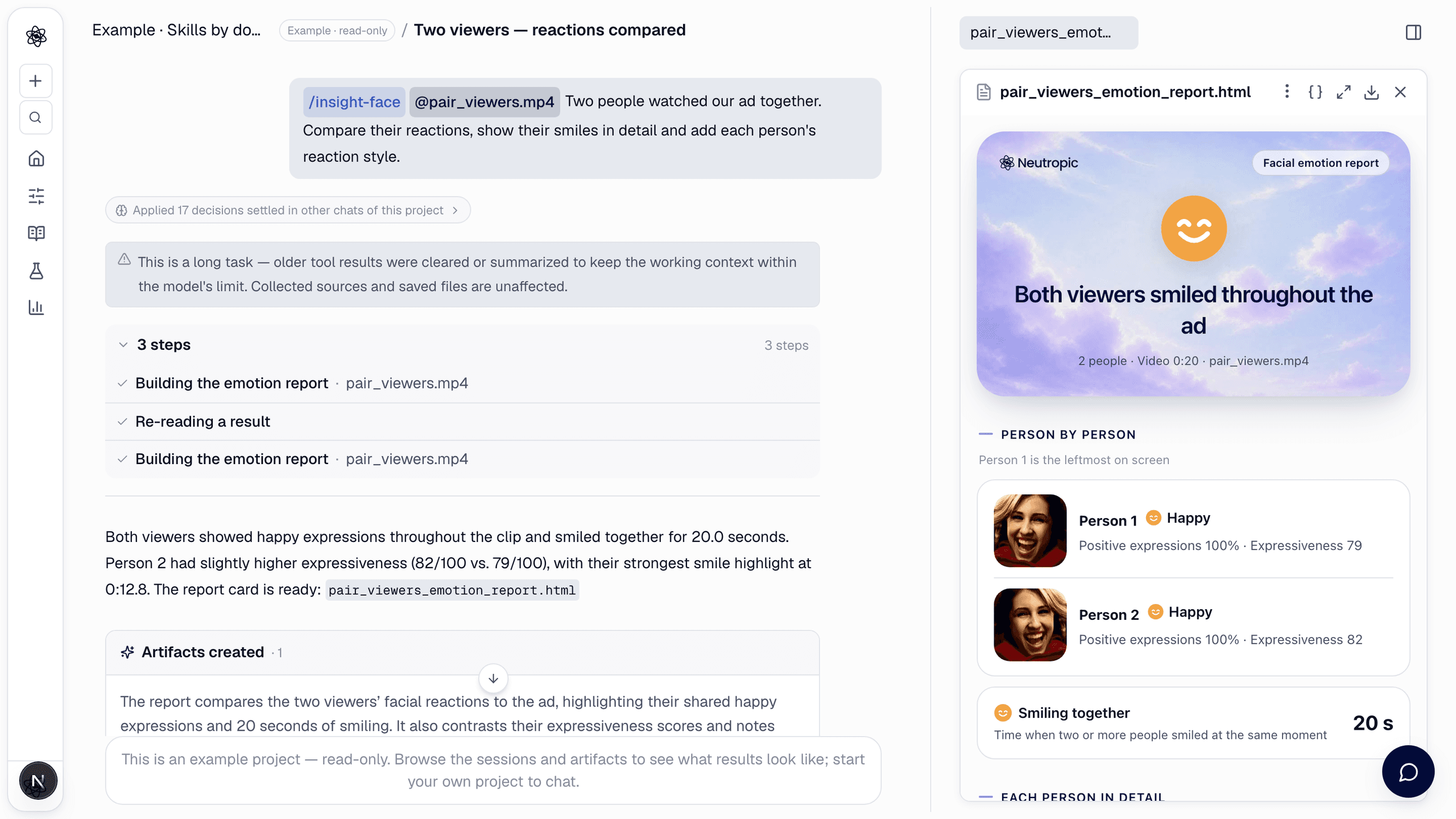
When more than one face is in view, every person is analysed — up to six, numbered from the left of the screen. The card adds a person-by-person comparison, the time two or more people smiled at the same moment, and a tab for each person with their full card.
Photos
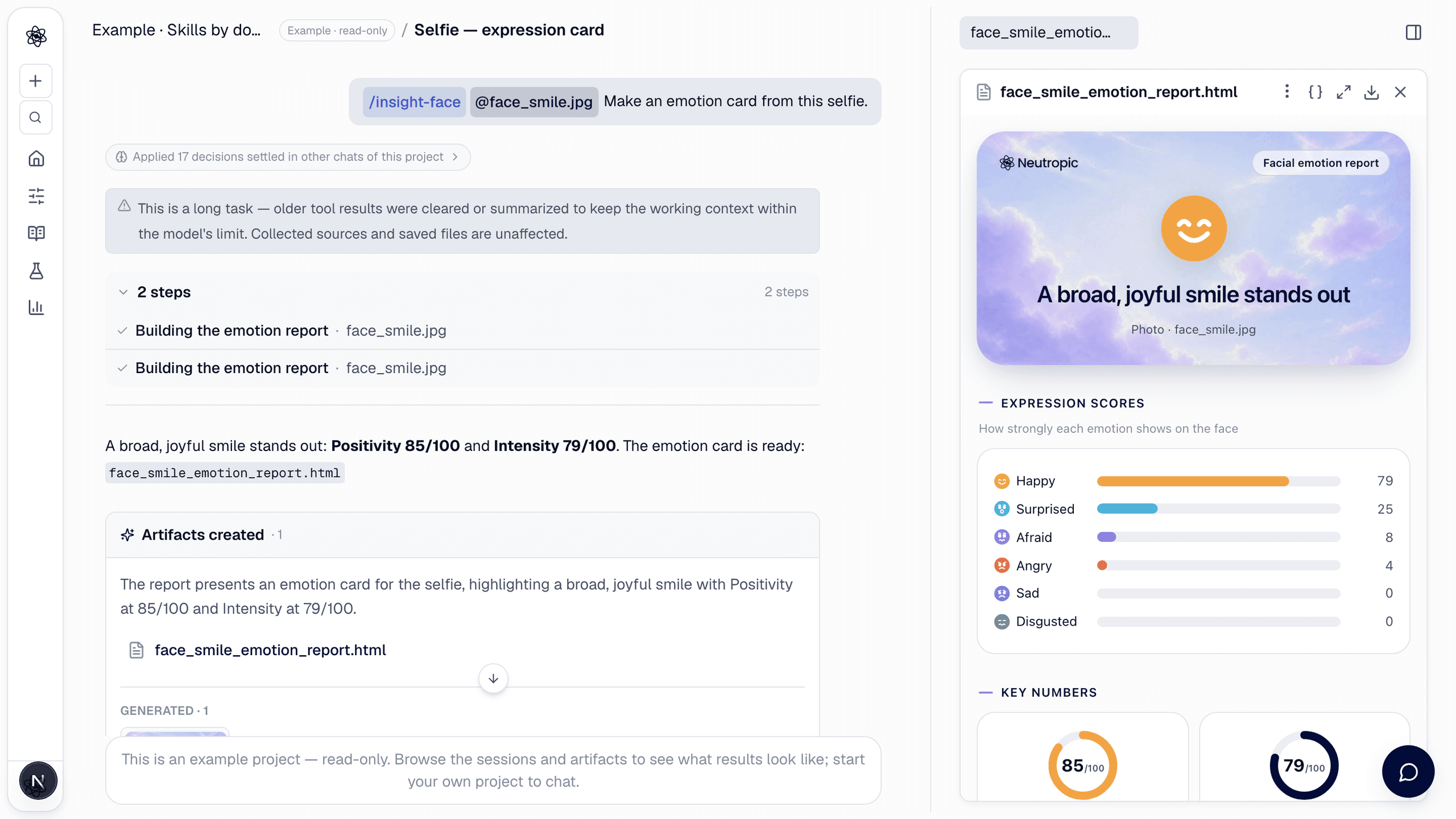
A selfie or a group photo gets a short card: expression scores from 0 to 100 and two numbers, positivity and intensity. iPhone HEIC photos are supported.
Extra items on request
The default card stays short. Ask for more when you need it:
- Reaction style in this clip — calm↔expressive, fleeting↔lasting, subdued↔bright. It describes the clip, not the person.
- Head movement — how still the head stayed and the moments the face turned away from the screen.
- One emotion in detail — "show the smiles in detail": how often, how long, when first, and the clearest moments.
- AU appendix — the facial action units behind the card, for experts.
Download as an image
The download button saves the card as a PNG — ready for a slide, a chat or a social post. For a group, every person is expanded in the image.
Good to know
- The card reports what the face did. It does not claim liking, interest or purchase intent — a smile is described as a smile.
- Results are estimates from facial movement and can differ from how a person feels. Do not use them to judge people, for example in hiring or evaluations.
- Use a well-lit clip with faces toward the camera, and only record people who agreed to it.
Details are in the docs. For research-grade facial analysis of a dataset, see facial expression analysis.