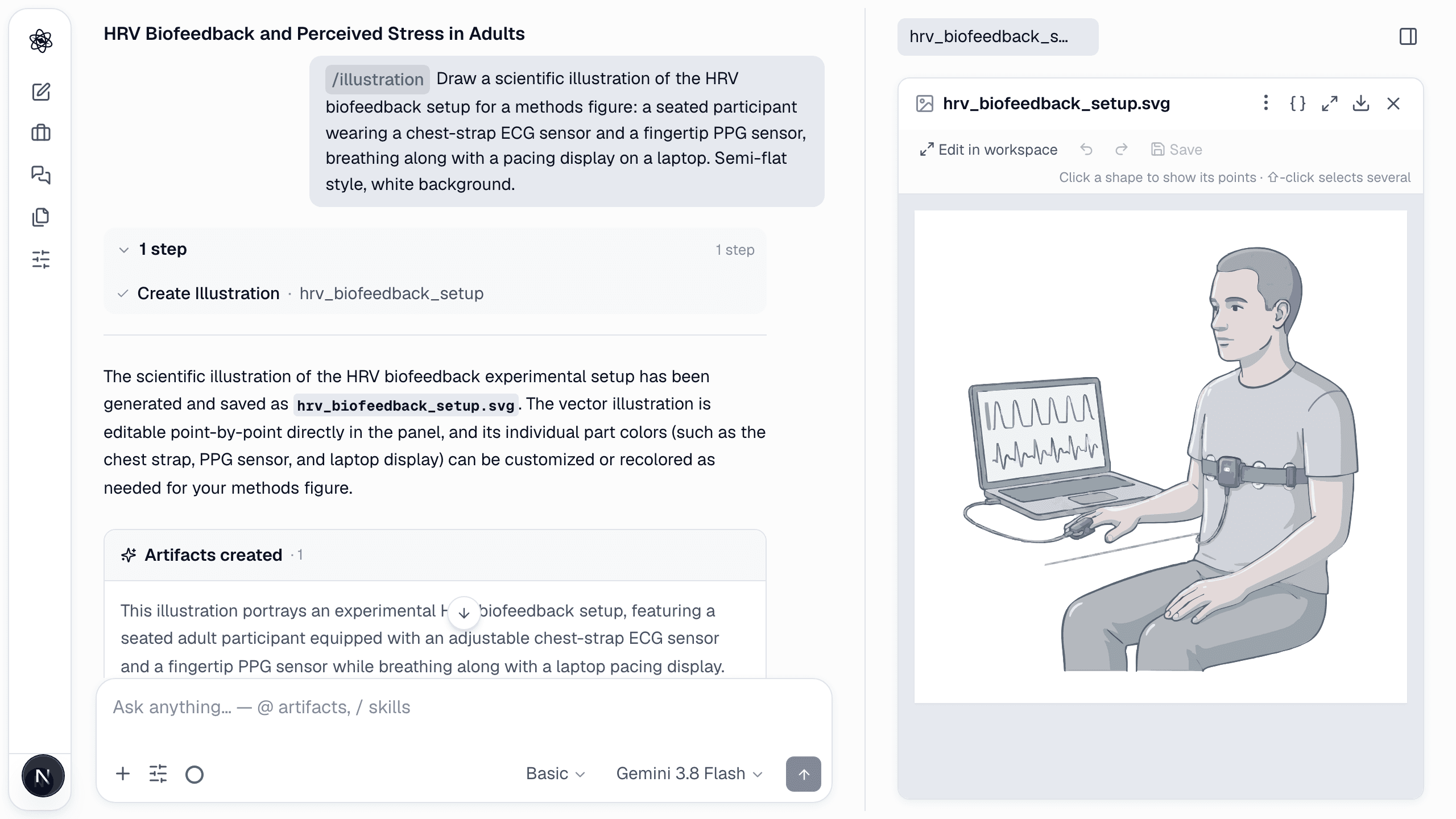
illustration generates scientific illustrations — lab equipment, a recording rig, a brain or body structure, a device, a person, a whole apparatus scene, or a procedure drawn as an arrowed flow — as editable vector assets in a consistent style (semi-flat shading, thin grey outlines, muted palette, white background).
How to call it
text
/illustrate Draw a scientific illustration of the HRV biofeedback setup for a methods figure: a seated participant wearing a chest-strap ECG sensor and a fingertip PPG sensor, breathing along with a pacing display on a laptop. Semi-flat style, white background.
What happens
- An image model draws the scene in the house style; the result is vectorised with the background removed.
- It opens in the panel with points editable per shape; part colours can be changed.
What you get
- An SVG illustration artifact, placeable as a node icon inside a /figure diagram or exported on its own.
Tips
- Describe the parts you need visible (sensor placements, screen contents) — they are drawn deliberately.
- For a procedure figure, paste the methods paragraph: every step is drawn and arranged as a flow.
- The skill is off in projects marked sensitive (it calls an image model).