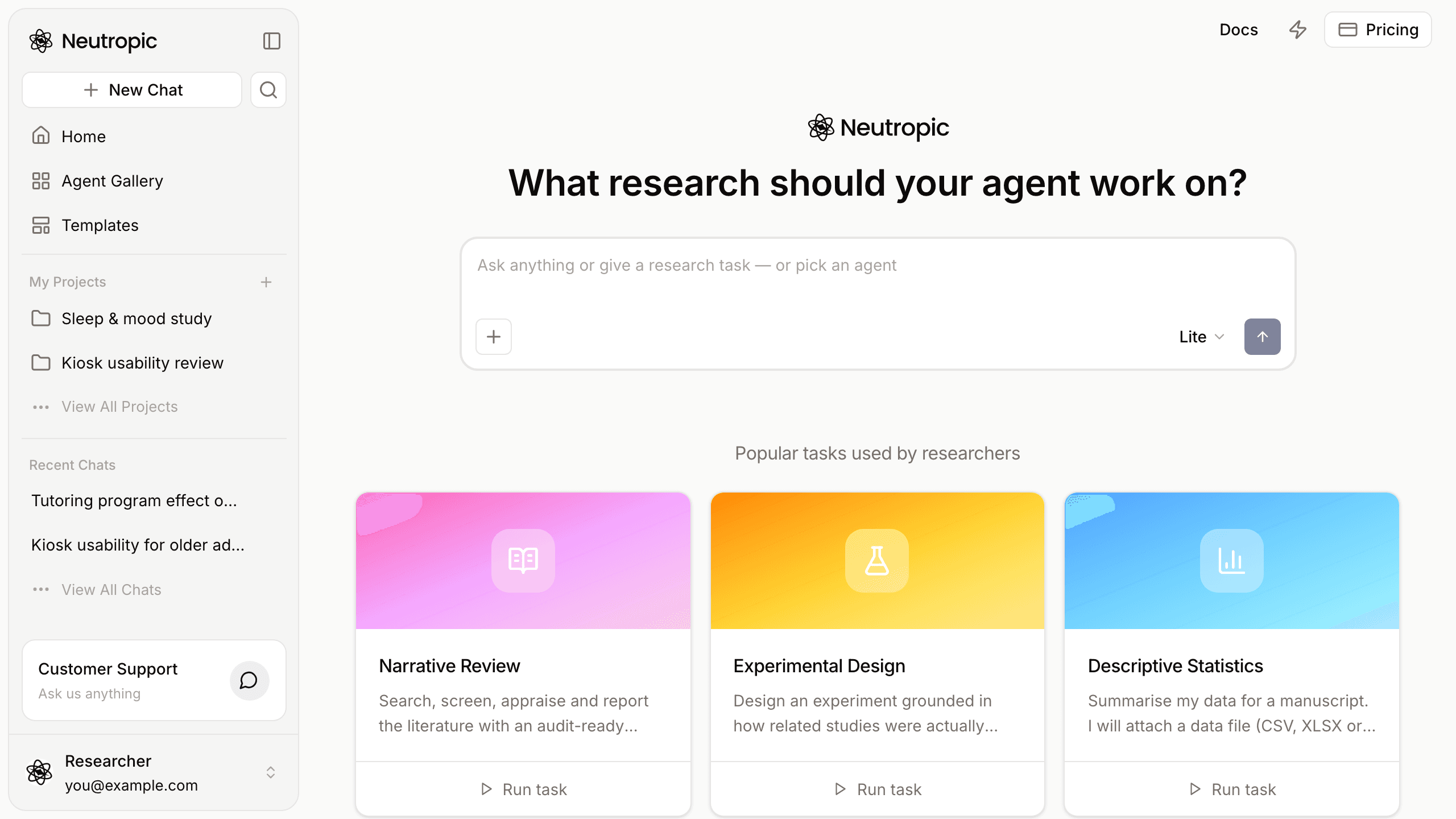
In Neutropic 2.5 the work is done by agents: tested workflows for one kind of research task, each with its steps fixed in advance. The Agent Gallery is where they all live. It is built to answer three questions quickly — which agent fits my task, what exactly will it do, and what will I get at the end — before you spend a single token.
This post walks through the gallery from the left panel to a finished run, and ends with a table of all 19 agents available today.
Finding an agent
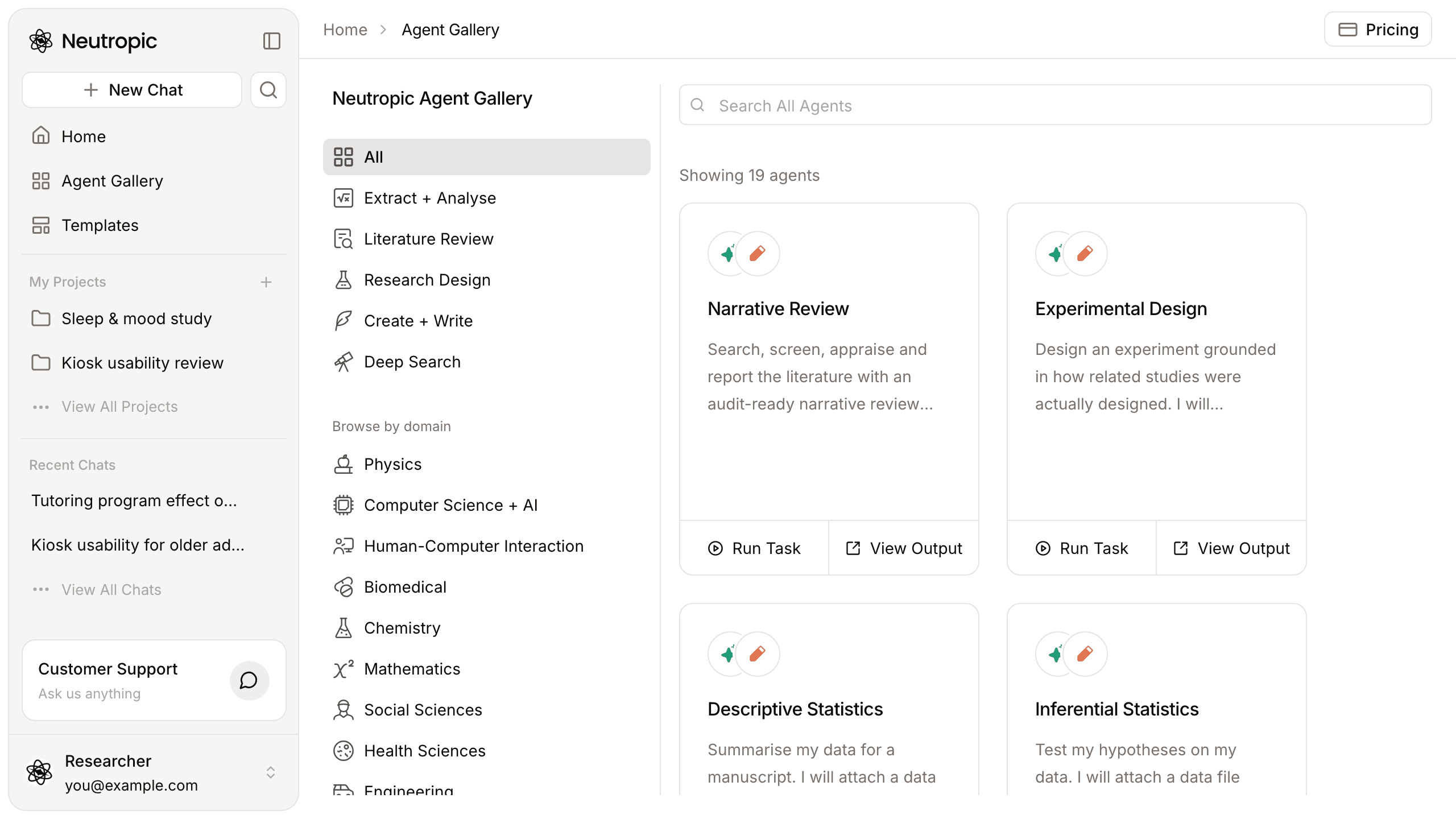
Open Agent Gallery in the left panel (or go to /agents). The column on the left has two ways to narrow the list:
- Categories — All, Extract + Analyse, Literature Review, Research Design, Create + Write and Deep Search.
- Browse by domain — Physics, Computer Science + AI, Human-Computer Interaction, Biomedical, Chemistry, Mathematics, Social Sciences, Health Sciences and Engineering. Each domain shows how many agents it has; agents without a domain work in any field.
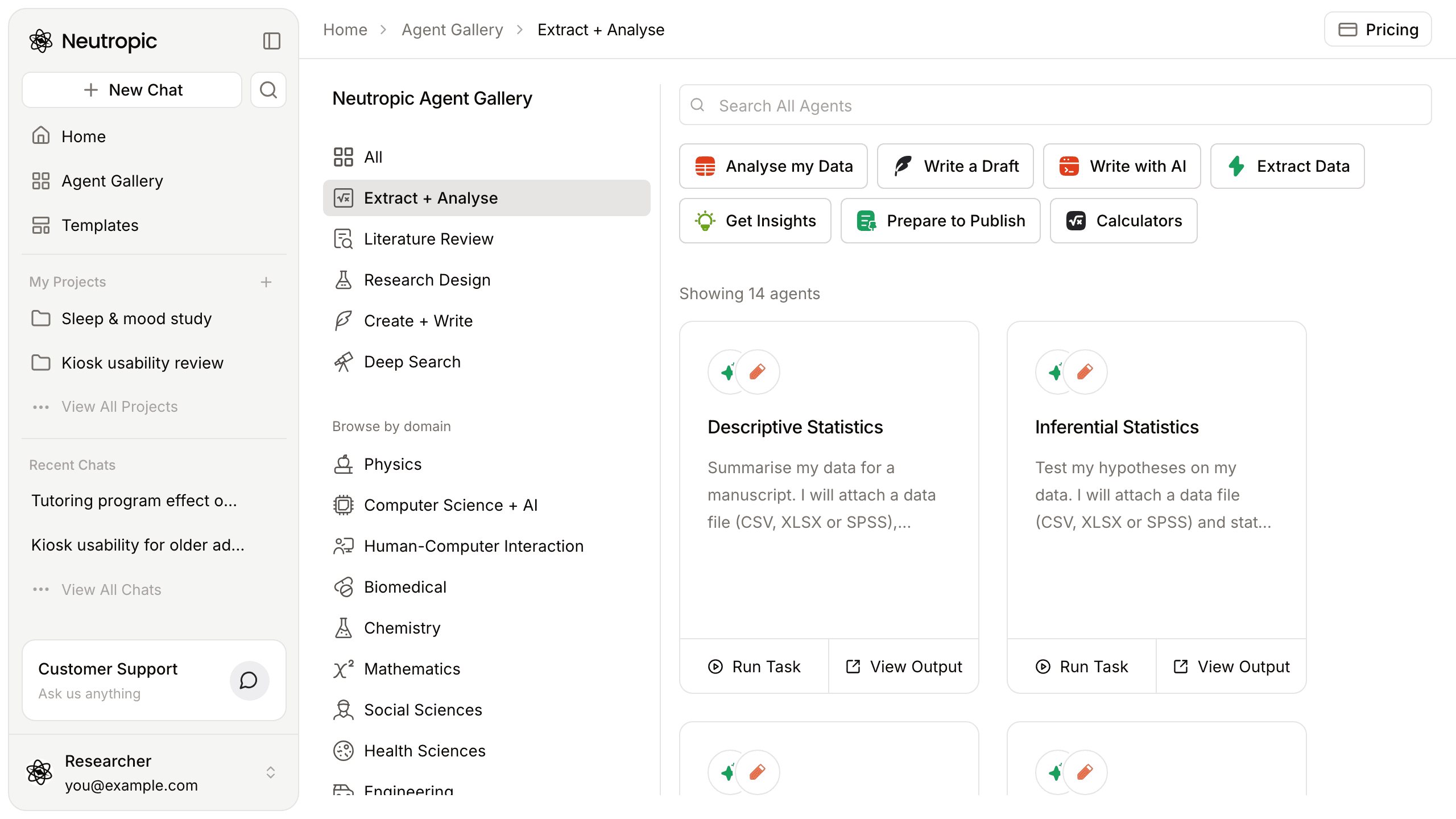
At the top, Search All Agents searches by name and description. Some categories also show task chips — in Extract + Analyse, for example, Analyse my Data, Write a Draft, Extract Data and Get Insights. On narrower screens the categories become a menu at the top of the page.
Reading a card
Each card shows the agent's steps and output type as small icons, its name and a short description of what it does. Two buttons sit at the bottom:
- Run Task — starts the agent with its example task (more below).
- View Output — opens a sample output from a real run, so you can judge the result before running anything yourself.
The agent's page
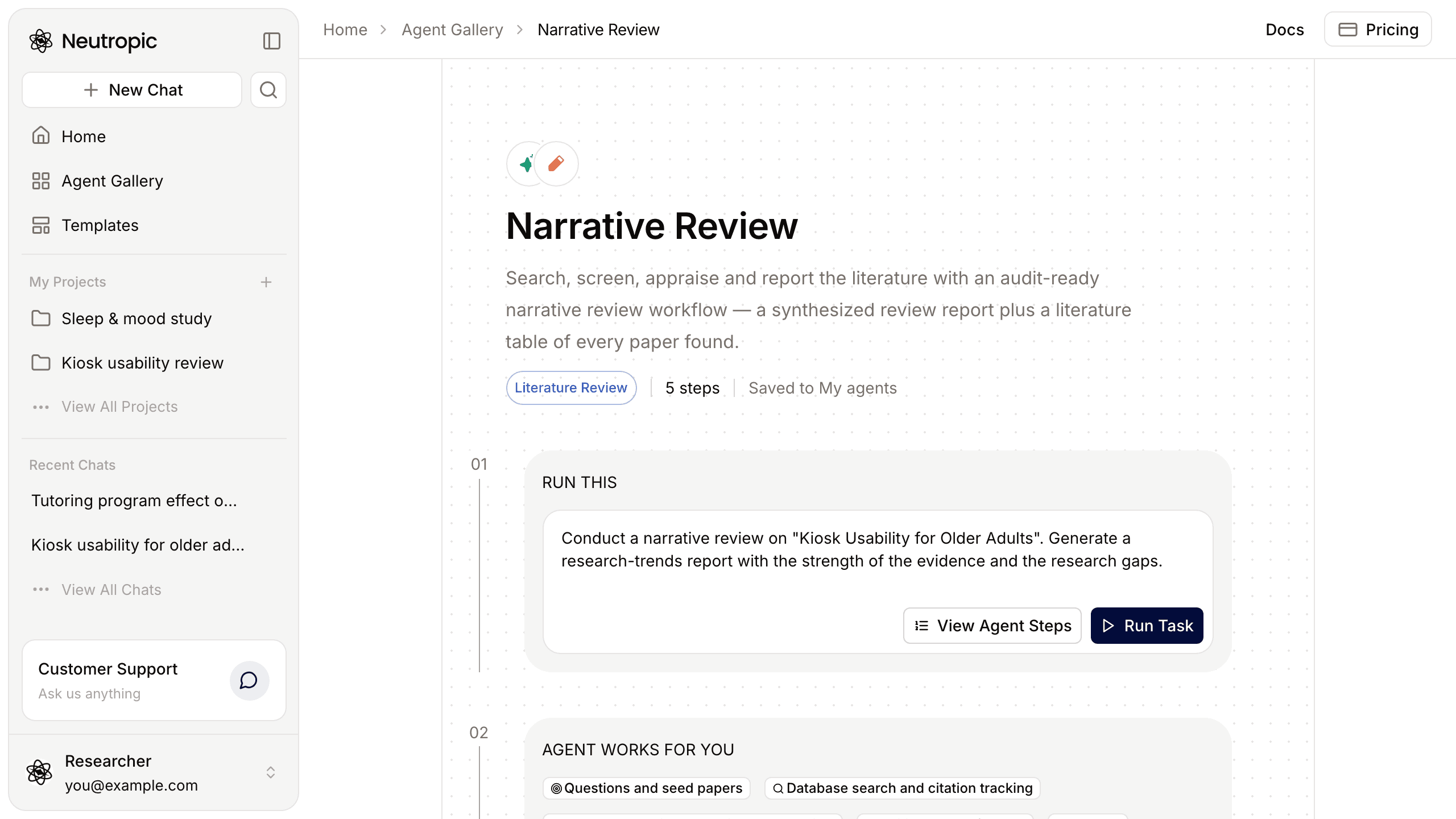
Click an agent's name to open its page. Under the title you see its category, how many steps it has and, once you have used it, that it is saved to My Agents. The page then follows three numbered panels:
- Run this — the example task, with Run Task, and for agents that work on a file, Try with sample data. View Agent Steps shows the steps of a real example run.
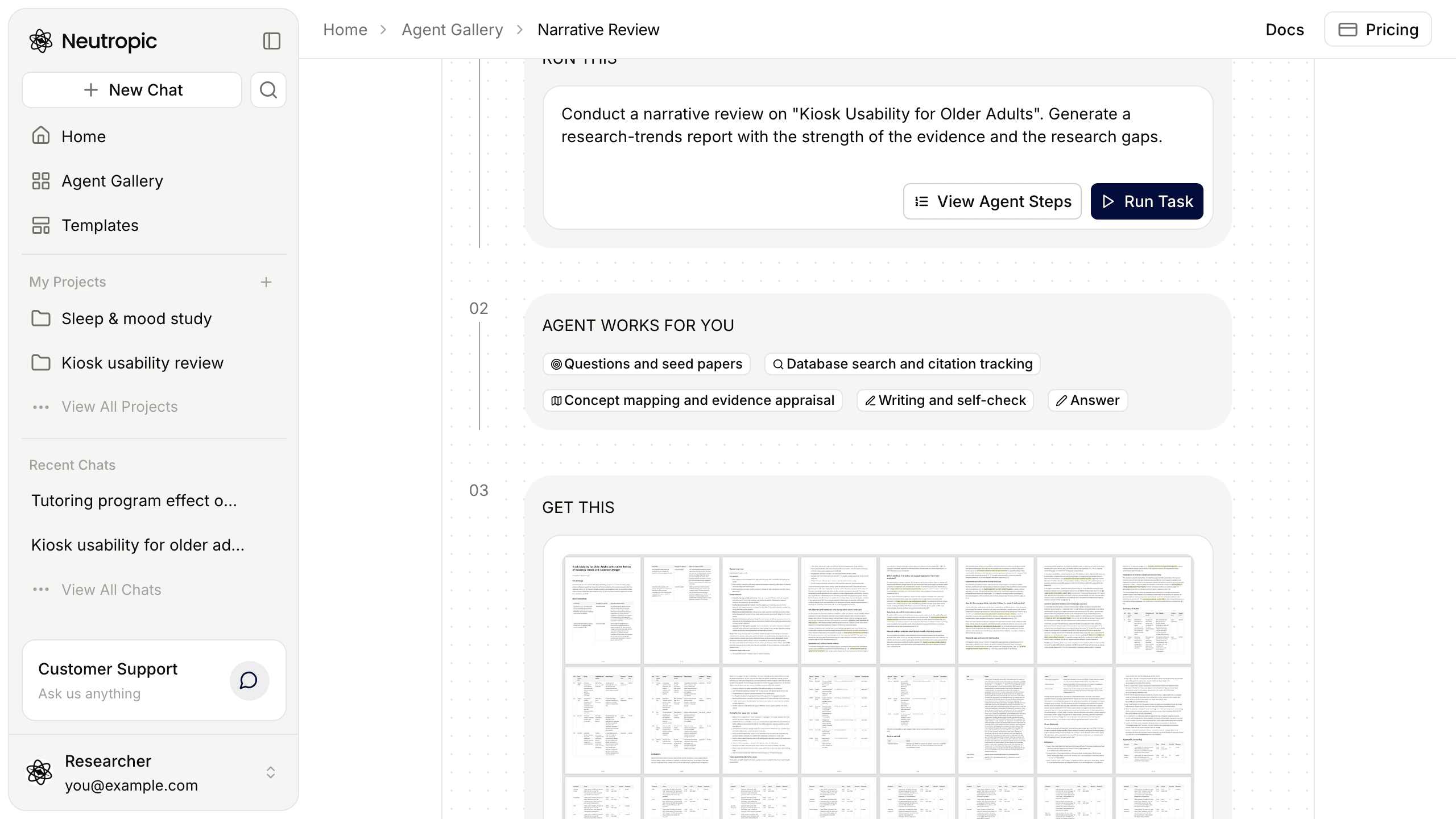
- Agent works for you — the steps it runs, in order. For Narrative Review, for example, the first two are Questions and seed papers and Database search and citation tracking.
- Get this — a preview of the output; click it to explore the full result.
Further down come similar agents, About the agent — what it does, what it needs and what changes with the level — frequently asked questions and references. On a phone, you choose a level to see its column.
What changes with the level
Every agent runs at the level you pick next to Send — Lite, Pro, Expert or Max Thinking. Higher levels search more sources, check more and use more tokens; the About the agent section spells out what that means for this particular agent. Which levels you can pick depends on your plan — see Plans & tokens.
Running an agent
- Press Run Task on a card or on the agent's page. Home opens in a new tab with that agent and its example task in the composer.
- Edit the task — your question, population, variables, the output you want. If the agent works on a file (a dataset, recordings, a manuscript), attach it with + → Upload files.
- Pick a level next to Send and send.
- Each step appears as it runs — searches, code, files, reviewer checks — followed by the answer and the files.
For example, the Narrative Review agent's example task reads:
Conduct a narrative review on "Kiosk Usability for Older Adults". Generate a research-trends report with the strength of the evidence and the research gaps.
Replace the topic with your own and you have a full review workflow running on your question.
You do not have to start from the gallery at all. When you type a task on Home that one of the agents does well, Neutropic suggests it — Run with this agent or Just answer here. And after an answer, suggestion rows above the composer can propose the next agent to run in the same chat.
All 19 agents
| Category | Agent | What it does | Needs a file |
|---|---|---|---|
| Extract + Analyse | Causal Analysis | Estimates the effect of a treatment or policy from observational data, with assumption checks and sensitivity to unmeasured confounding | Yes |
| Extract + Analyse | Descriptive Statistics | Table 1, summaries by variable type, group comparisons and a sample-description paragraph | Yes |
| Extract + Analyse | ECG HRV Analysis | Heart rate variability from ECG: signal quality, corrected R peaks, time, frequency and nonlinear HRV | Yes |
| Extract + Analyse | EDA Analysis | Skin conductance: tonic and phasic components, SCL and SCRs per condition | Yes |
| Extract + Analyse | EEG ERP Analysis | Event-related potentials: preprocessing, component amplitudes and latencies, waveforms and topographies | Yes |
| Extract + Analyse | EEG Spectral Analysis | Band power, peak alpha frequency, frontal alpha asymmetry and the 1/f exponent | Yes |
| Extract + Analyse | Exploratory Data Analysis | Data-quality problems, distributions, relationships and hypothesis candidates | Yes |
| Extract + Analyse | Facial Expression Analysis | Approximate action units, emotion scores, valence and arousal from face videos (no face images in the report) | Yes |
| Extract + Analyse | fMRI Analysis | From raw BOLD runs to task activation or resting-state connectivity and group maps | Yes |
| Extract + Analyse | Inferential Statistics | Tests each hypothesis with assumption checks, effect sizes, 95% CIs and APA sentences | Yes |
| Extract + Analyse | PPG Pulse Analysis | Pulse rate and pulse-rate variability from PPG, including wearables | Yes |
| Extract + Analyse | Predictive Modeling | Compares prediction models on the same cross-validation splits, with calibration and a TRIPOD+AI checklist | Yes |
| Extract + Analyse | Prescriptive Analysis | Turns analysis results into a decision, with uncertainty and what would flip it | Yes |
| Extract + Analyse | Remote PPG (Face Video Heart Rate) | Heart rate from face videos, with signal quality and comparison to a reference when given | Yes |
| Literature Review | Narrative Review | Searches, screens, appraises and reports the literature, with a table of every paper found | — |
| Research Design | Experimental Design | A design report grounded in related studies, with a power curve and a preregistration draft | — |
| Create + Write | Paper Draft | A complete Markdown manuscript from the work in your project, ready to save to a notebook | — |
| Create + Write | LaTeX Paper Draft | A complete paper in a LaTeX template: main.tex plus main.pdf | — |
| Create + Write | Markdown to PDF & PNG Converter for Research Documents | An A4 PDF with page numbers and one PNG showing every page | Yes |
The template catalog in the docs lists each agent's full workflow and settings. For a closer look at individual agents, see the posts on Narrative Review, Experimental Design, the data analysis agents, the biosignal analysis agents and paper writing.
An agent you run is listed on My Agents, where you can open its workflow and adapt it — or build your own from scratch. See Build your own agent.