By the time you sit down to write, most of the paper already exists — scattered. The literature is in a review, the method is in a design document, the numbers are in analysis outputs, and the journal's format is in a template you have not opened yet. The hard part of a first draft is not producing sentences; it is making every sentence rest on something you actually have, and being honest about what you do not have yet.
The agents in the Create + Write category of the Agent Gallery are built that way. Paper Draft writes a markdown manuscript you keep editing in a notebook. LaTeX Paper Draft writes the same manuscript into a LaTeX template and returns main.tex and main.pdf. Markdown to PDF & PNG Converter turns a finished Markdown report into a print-ready PDF. And the Templates page is where you pick a journal, conference or thesis format to start from.
Paper Draft: writing as claim management
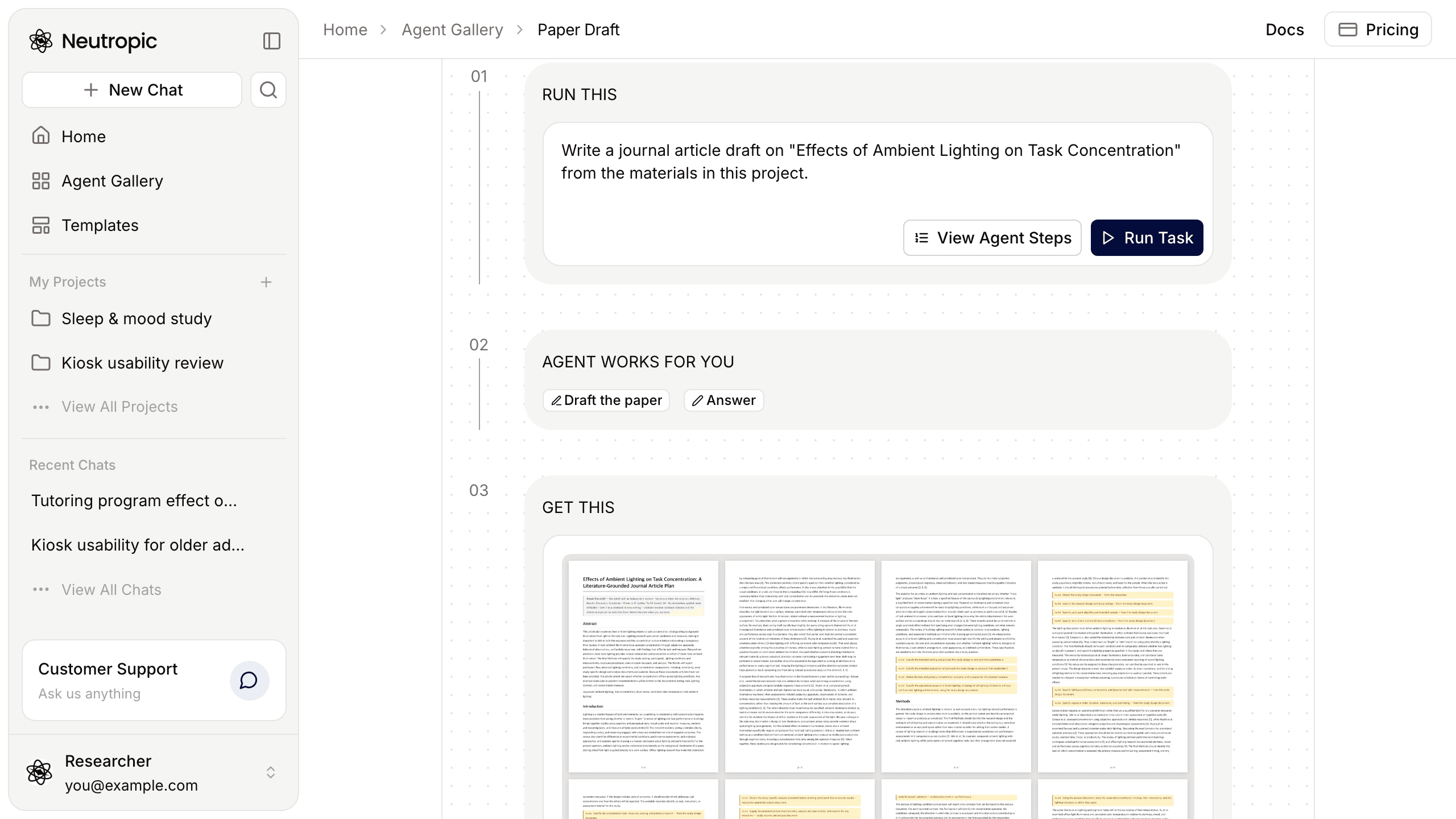
Paper Draft does not fill in a template's blanks. Every sentence is tied to evidence in your project, and what has no support is not written — it is left as a marked place to fill. It runs a fixed pipeline:
- Inventory. It reads the project's files, earlier agents' results and an outline notebook if you name one, and lists the evidence the manuscript can use.
- Format and outline. It merges the template's sections, abstract form and length with your outline into a plan per section. Without a template it uses Title, Abstract, Keywords, Introduction, Methods, Results, Discussion and Conclusion.
- Fill evidence gaps. Only for key claims with no source does it search scholarly databases such as OpenAlex, Semantic Scholar, PubMed and arXiv, and it checks the main citations against their sources.
- Claims and evidence. Every claim is tied to its support in a table — press that step's box in the chat to open it in the right panel.
- Write by section. Every section is written. Methods come only from your design documents; Results numbers come only from your analysis outputs, copied as they are, never recomputed.
- Check. Format, citations, numbers, and that no result was invented — what fails is fixed.
- Deliver. One file,
<topic>_manuscript.md.
The rules are strict on purpose. It never invents experiments, participants, datasets or results, and never invents references: it cites only sources in the project or found in this run, and does not add volume, issue or pages from memory. What stays empty is content, not sections — each gap is one line saying what is missing and where it will come from. You can even write before data collection: Results then get the analysis plan and table shells, with the numbers left as places to fill. A note block at the top of the manuscript lists the sections written, every place to fill and which of your instructions were applied.
What helps most is not the level but the evidence in your project. A Narrative Review gives the introduction, background and discussion their citations; an Experimental Design report is the only source for Methods; data analysis reports supply the Results tables.
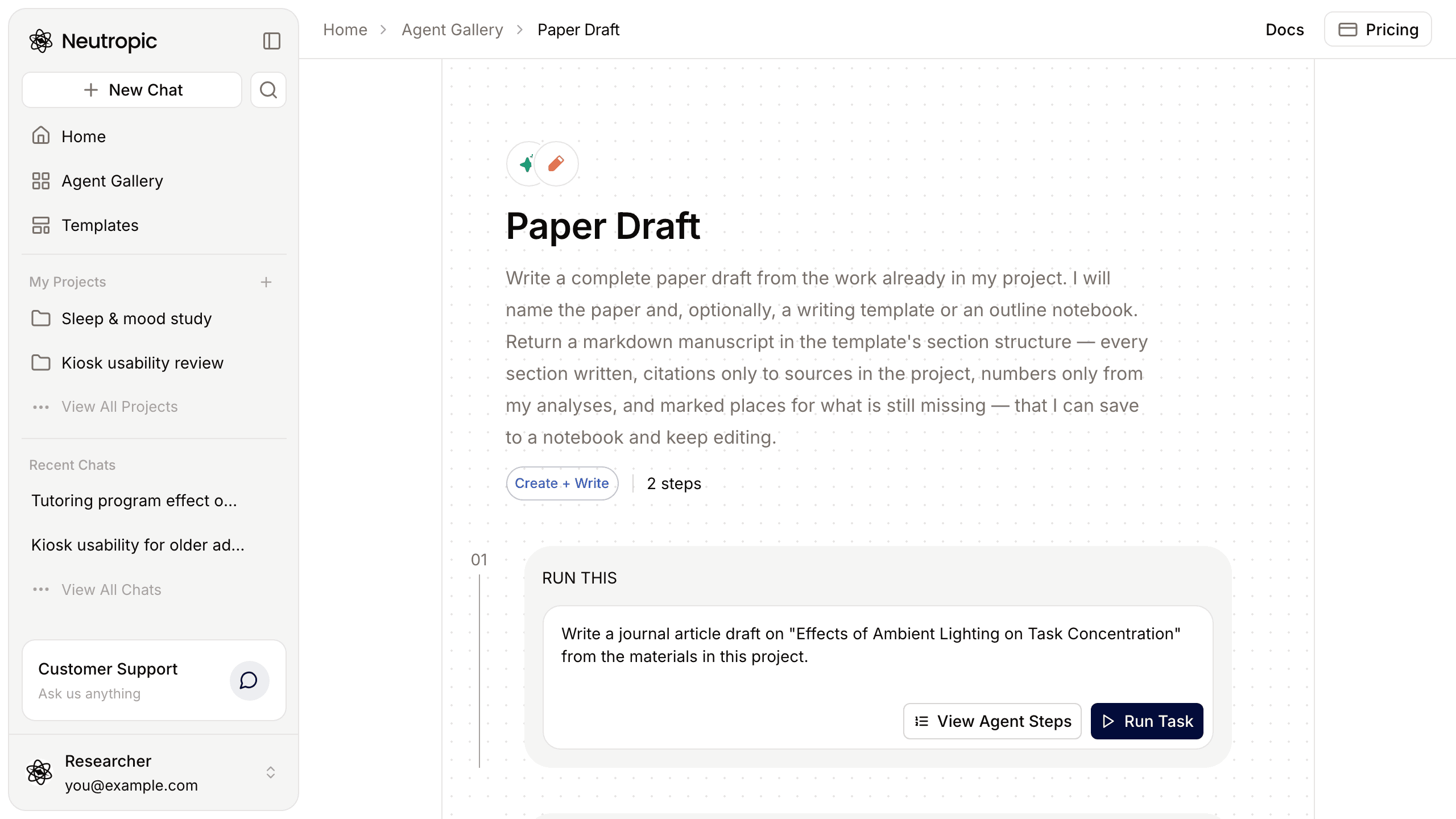
Write a journal article draft on "Effects of Ambient Lighting on Task Concentration" from the materials in this project.
| Lite | Pro | Expert | Max Thinking | |
|---|---|---|---|---|
| Main text | 1,200–2,000 words | 2,500–3,500 words | 3,500–5,000 words | 3,500–5,000 words |
| Gap searches | None — project materials only | 1 round | 2 rounds | 3 rounds |
| Citation cap | 15 | 30 | 50 | 60 |
Save to notebook and keep writing
Press Save to notebook on the result and the manuscript opens in a project notebook. Its numbered citations become notebook citations, so switching the style — APA, IEEE, Vancouver and others — updates the in-text labels and the reference list together. Figures are copied into the project, and the places to fill show as highlighted blocks.
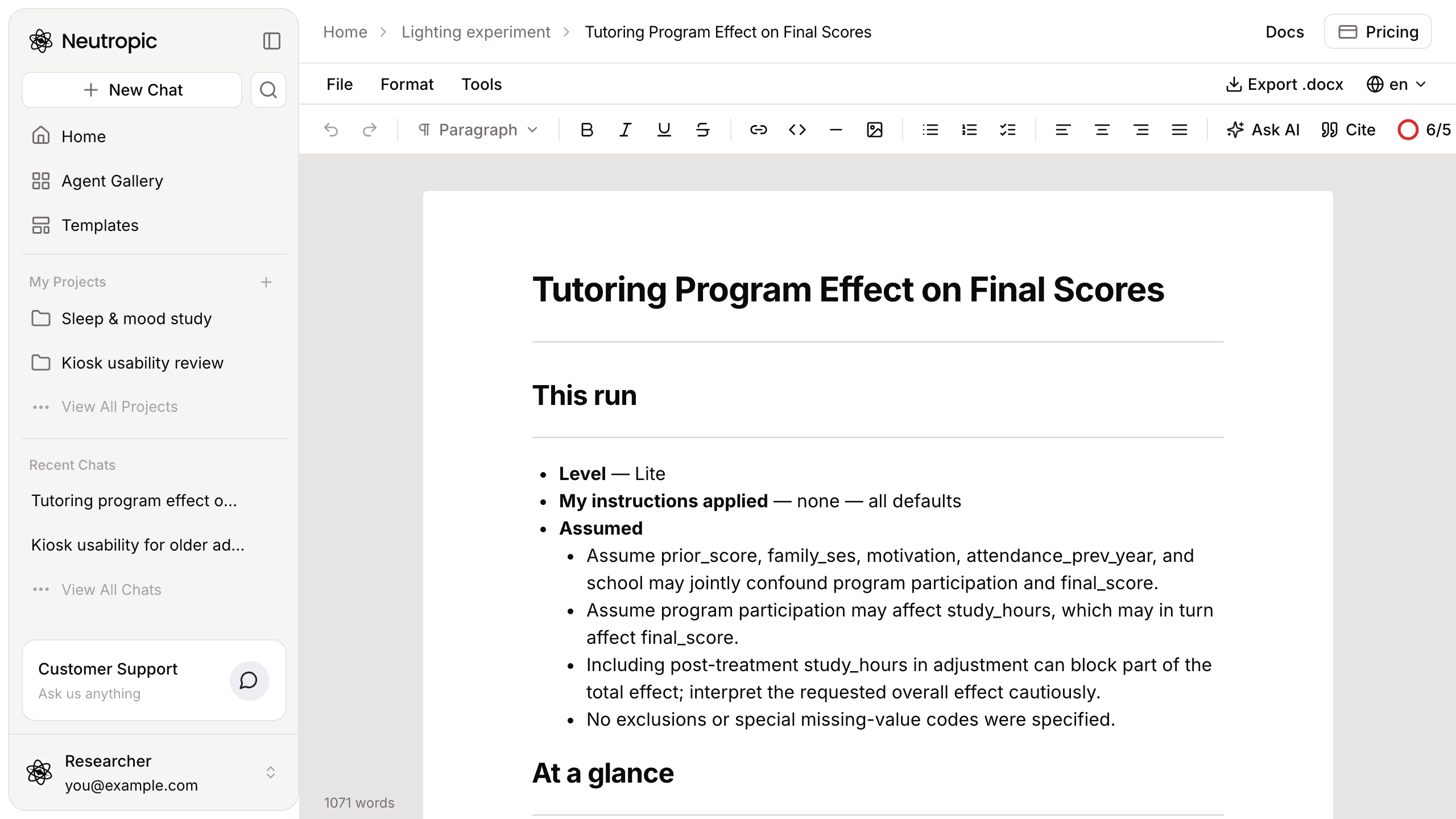
From there, type / for Continue writing with citations or Write Introduction, press Cite (or @) for papers that fit the paragraph you are writing, and download a Word document with Export .docx.
LaTeX Paper Draft: main.tex in the template's class
If you submit in LaTeX, LaTeX Paper Draft writes the same manuscript into a LaTeX template in three steps. First it reads every template file — the document class, the section or chapter skeleton including each \input file, how the abstract and keywords are declared, and the bibliography mechanism — and drafts to that skeleton exactly. Then it typesets: main.tex with the template's preamble, class options and packages unchanged, section files where the template expects them, references.bib, and a README with compile instructions. Missing content becomes \todo{…} marks. Finally main.pdf is rendered.
The TeX bundle uploads to Overleaf. The PDF's file description says whether a TeX engine compiled it or it is a structural render made without one, so check the final typesetting in Overleaf or your own TeX setup.
Writing templates: start from the format
Templates in the left panel lists writing templates for journal articles, theses, grant applications, conference papers, posters, letters and more. Many follow a publisher's or a reporting guideline's format — APA, IEEE, Nature, Elsevier, KCI, J-STAGE, CONSORT, PRISMA and others.
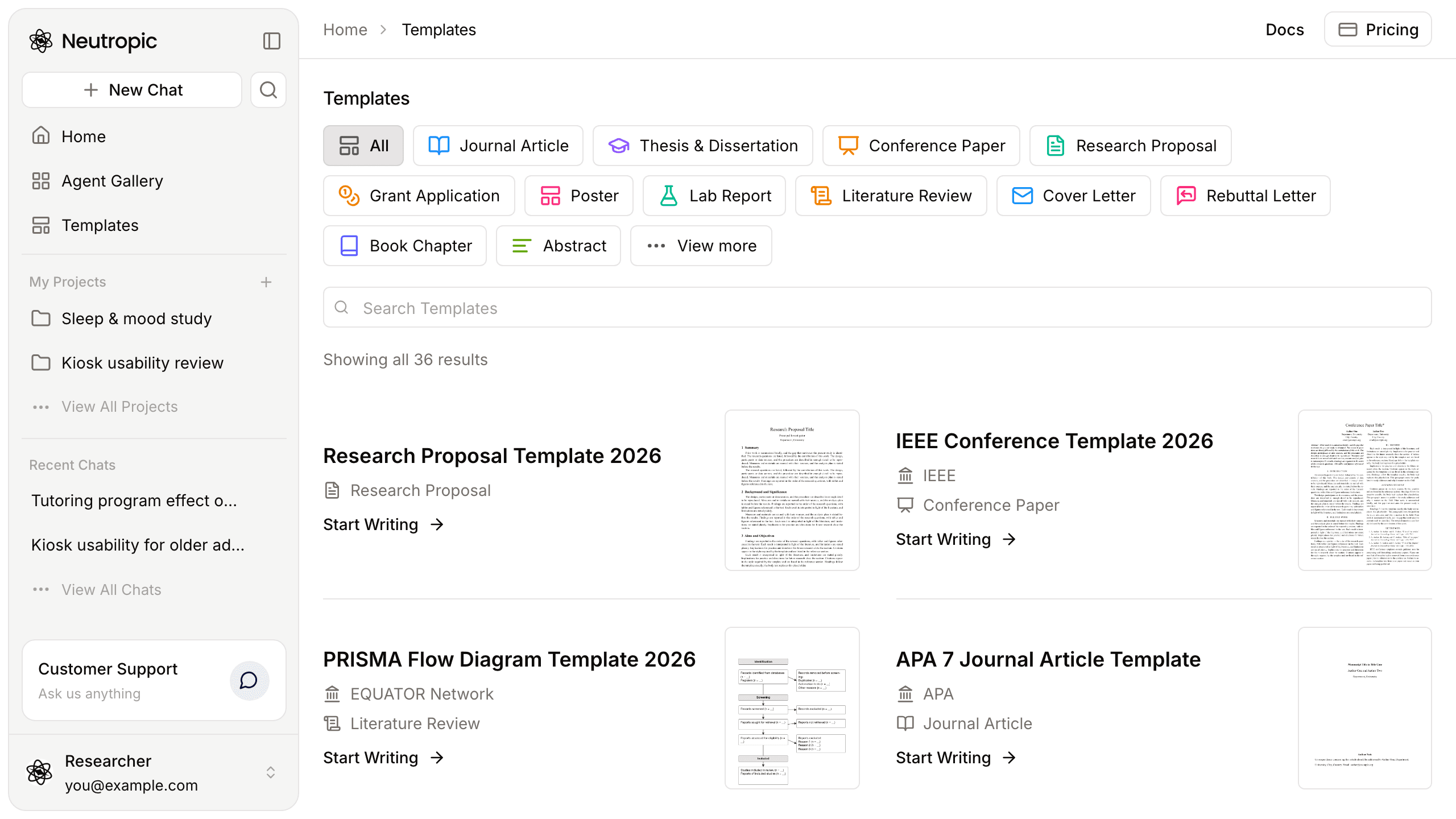
Narrow the list with Filter by Kind, Filter by Format (Word, LaTeX, Markdown), Filter by Topic and Filter by Publisher, or Search Templates.
- Start Writing opens Home with the writing agent picked, a prompt for this template in the composer and the template file attached. Fill in your topic — and the research question, data or target journal if you like — and send. For a LaTeX template you get the
.texsource and a compiled PDF in the chat's files. - Write in Notebook on the template's page runs the same draft as a Markdown report that follows the template's sections. Press Save to notebook on it to continue with citations and a reference list.
Markdown to PDF & PNG
Sometimes the document is finished and you only need it in a shareable form. Attach a .md research report to the Markdown to PDF & PNG Converter and it returns an A4 PDF with page numbers, tables, equations and figures as written, plus one PNG that lays out every page in a grid. It never rewrites, summarizes or translates the document.
Convert the attached Markdown report into a PDF and one PNG that shows every page in a grid.
What stays with you
The drafts are drafts. Check that each cited sentence matches its source's claim and strength, fill the marked places, and handle the journal's guidelines, ethics, author contributions, conflicts of interest and AI-use statements yourself — the agents never declare compliance on your behalf. Writing uses tokens like any other task, and the level you pick next to Send sets how thoroughly it searches and checks.
To keep the whole study in one place, see Projects and notebooks. Every step and setting is in the Create + Write template docs and the writing templates guide.