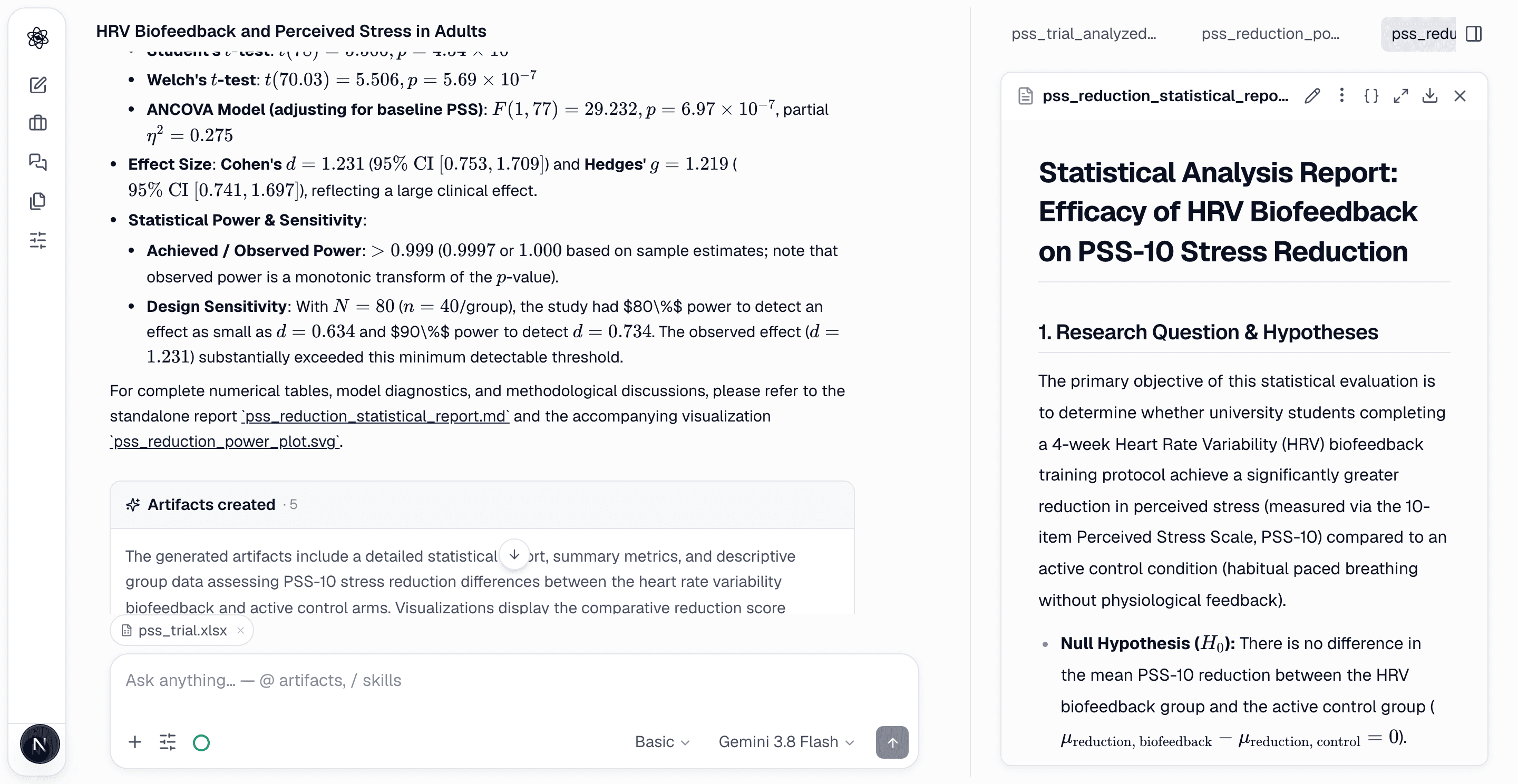
A literature report is easy to check: every sentence ends in a number, and the number points to a paper. An analysis report has always been harder. "The biofeedback group's stress dropped by 5.96 points" — says who? The number came from somewhere in the run, but finding where meant scrolling back through the chat and opening code cells until one of them printed 5.96.
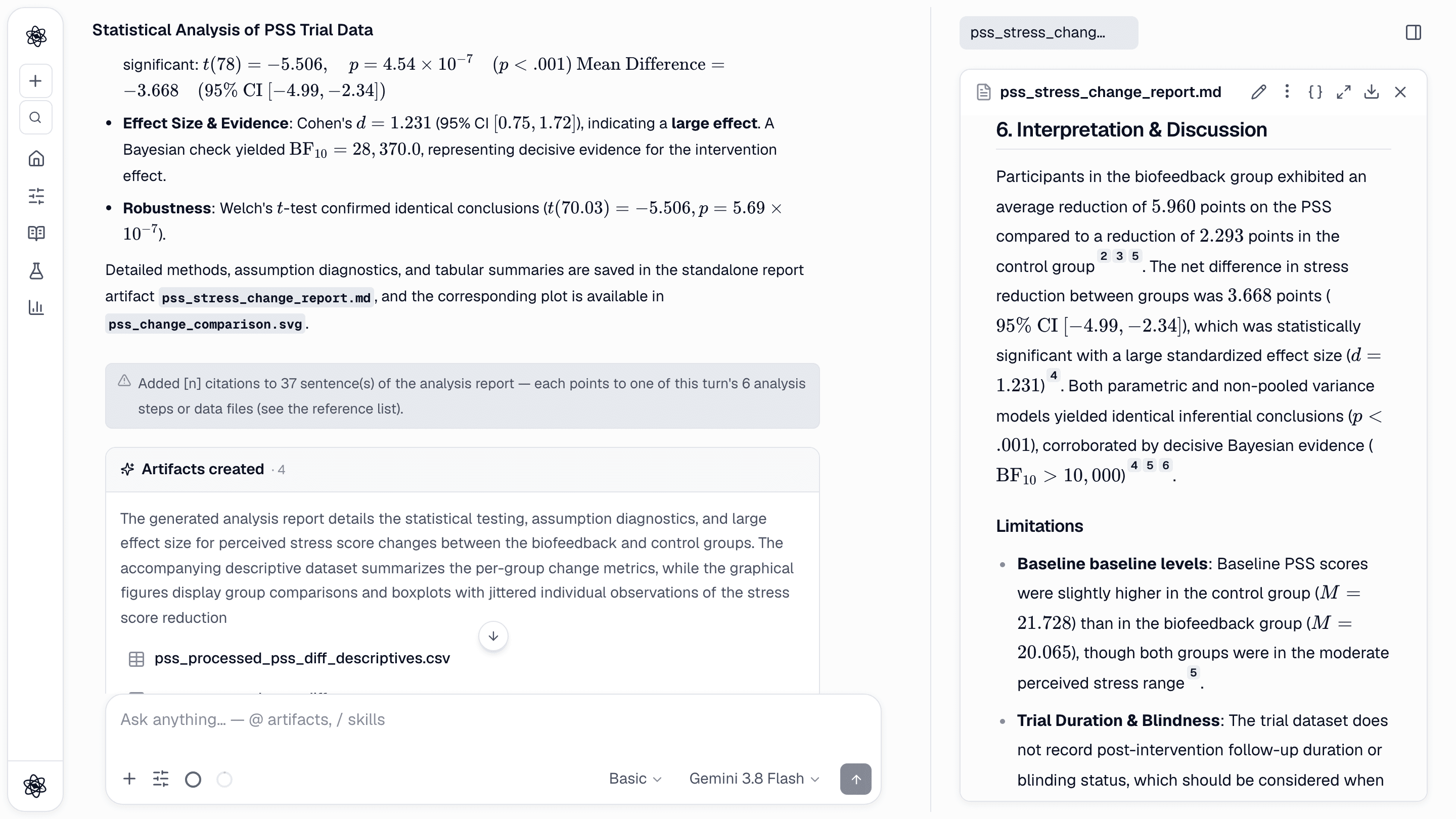
Now analysis reports work the same way as literature reports. Data analysis, statistics, study-design and review reports carry [n] citations on their sentences, and the sources are the things the claims actually rest on: the analysis steps of the turn (each tool call with its output), the dataset you uploaded, the power curve behind a sample size, or the document under review.
![A statistics report in the artifact panel: sentences carry [n] numbers, and the chat notes how many sentences were cited and how many analysis steps they point to.](/blog/citations/report.png)
How it works
Nothing changes in how you ask. When a data analysis or statistics turn finishes, three things happen before you read the report.
- The steps of this turn become sources. Every step that produced a result (loading the dataset, checking assumptions, running the test, a sandbox code cell, the effect-size estimate) is recorded with its output. Failed calls are left out, and steps that only read files are skipped.
- A citation pass numbers the sentences. Each sentence of the report is matched to the steps whose output supports it, and gets the number of that step. A sentence that states an effect size points to the effect-size step, and a sentence about normality points to the assumption check.
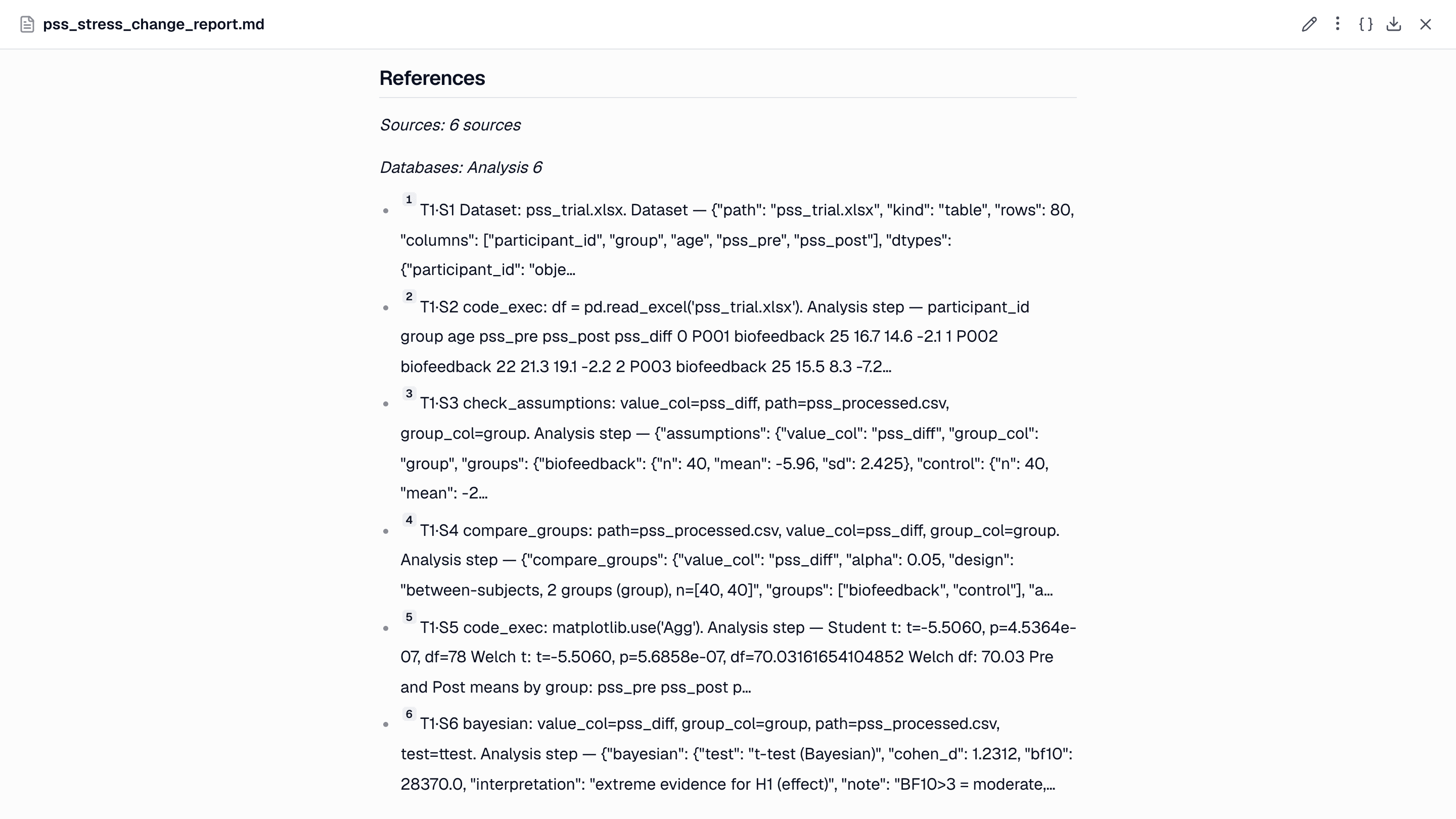
- A References section is added. At the end of the report, each number is listed with a label that says what kind of source it is: Analysis step, Dataset, or Reviewed document, together with the step name, its arguments and the start of its output.
When the pass is done, the chat shows a short notice with the number of cited sentences and the number of steps they point to.
Click a number, see the step
Hover over a number, or click it to keep it open, and a source card appears. For a literature report the card shows the paper. For an analysis report it shows the step: which tool ran, on which file and columns, and what it printed.
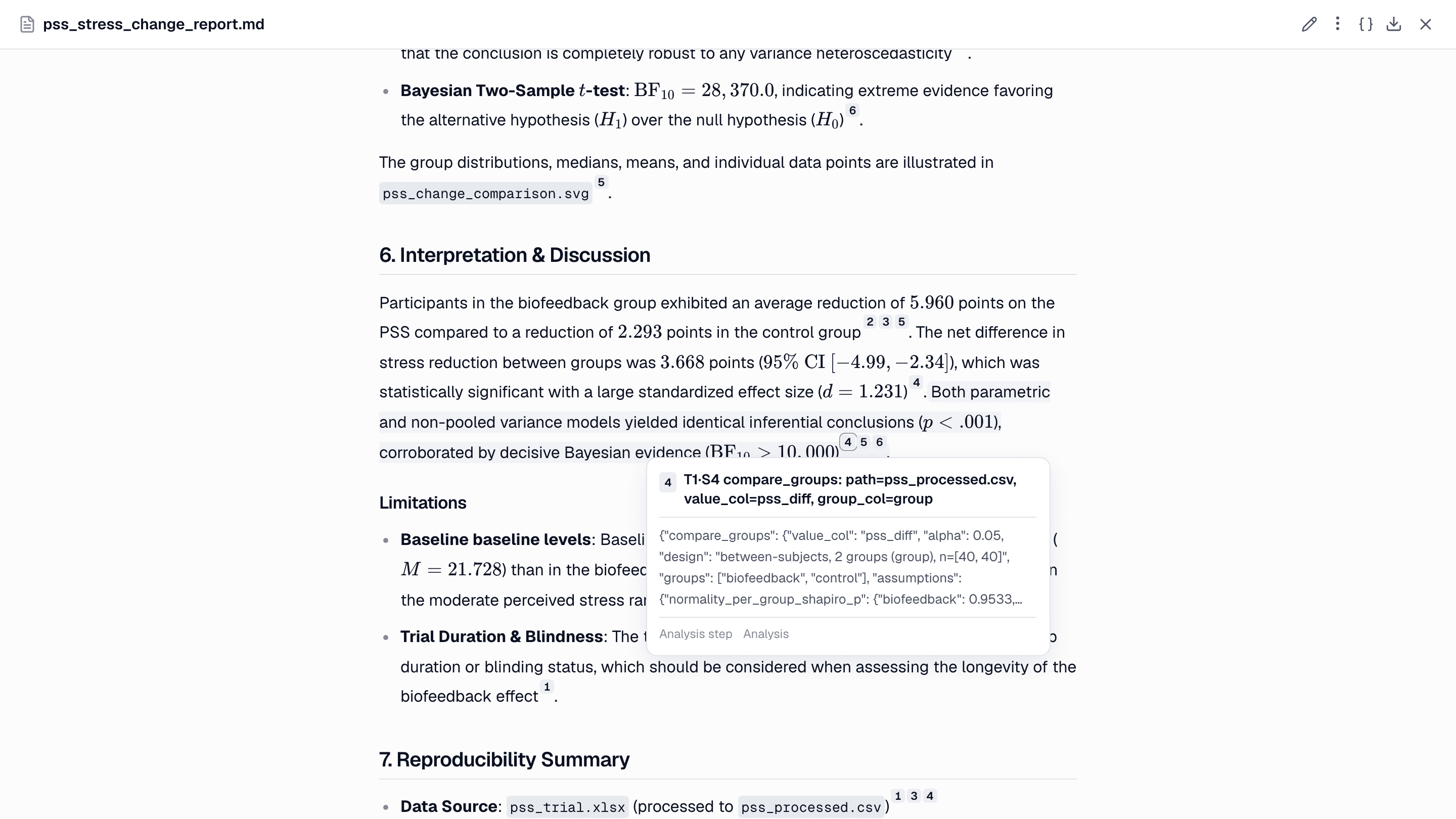
So when you read "t(78) = −5.506, p < .001", you can check it on the spot. Open the number, and the output with that t value is right there.
Beyond statistics
The same pass runs for other kinds of reports.
- Study design. A design report cites the papers read in the session for its choices, and the power-curve calculation for the sample size.
- Report review and Peer review. A review report cites the document under review (labelled Reviewed document), the sources read in the session, and any re-analysis the reviewer ran on your data.
- Literature review. Nothing changes here. Sentences cite the papers, patents and web sources that were actually read.
Why it matters
Checking a number takes one click. You don't have to rebuild the analysis in your head or search the chat for the right code cell. The claim and its evidence are next to each other.
Others can check your work. An advisor, a co-author or a reviewer can open the report and follow any sentence back to the step that produced it, without you there to explain.
Uncited sentences stay visible. Some sentences in an analysis report are interpretation, limitations or context, and no step can prove them. Those sentences keep no number. They are not removed, so you can see which statements rest on output and which are the report's reading of it.
This is the sentence-level part of the approach in Reproducibility by default: each artifact keeps the code and data that made it, and now each sentence names its step. It also works well with the independent reviewer in Why every analysis deserves a second opinion, which re-runs the numbers. Citations show you where a number came from, and the reviewer checks whether it is right.
How to use it
Attach a data file and ask for an analysis in plain language, or start with /stats or /analyze. Basic effort is enough.
/stats Using pss_trial.xlsx, test whether the change in perceived stress (pss_post minus pss_pre) differs between the biofeedback and control groups. Check the assumptions and write a short results report.
When the turn ends, open the report in the artifact panel. Hover over or click any number to see its step, and scroll to the end for the full References list. To see the code behind a figure, the { } button on the artifact still shows it.