Hi, this is the Neutropic team!
Picture this: two weeks before your thesis proposal, your supervisor says, "If you want to know what makes people choose a product, try a conjoint." If you are in grad school, you may know the feeling. You have heard the name, but starting is another matter. The lecture videos use R, the blog tutorials use SPSS, and the papers show only formulas. 🥲
The hard part is not the formula. It is the chain of decisions around it: which product profiles to show, how many tasks to give each respondent, how to code the levels, which model to estimate, and how far you can trust the importance scores.
In this post we follow Maya, a first-year marketing master's student, as she prepares her first conjoint analysis of wireless earbuds. Maya is fictional, but every screen below comes from a real chat in Neutropic.
She wrote everything she knew in one paragraph
All Maya had decided was the product and four attributes. Rather than agonise over the levels, she wrote down the values she had in mind and sent them.
I want to run a conjoint analysis for new wireless earbuds. The attributes are price ($59, $89, $119), battery life (6 or 10 hours), noise cancelling (yes or no) and brand (A or B). How should I go from designing the choice tasks to estimating part-worths and attribute importance? I'll use Python — please run it on simulated responses and show the results.
The request covers three things: what to analyse (the product, attributes and levels), how far to go (from task design to importance) and how to show it (Python, actually run on simulated data). The last sentence matters most. Ask for it to be run, and you get numbers from executed code, not just an explanation.
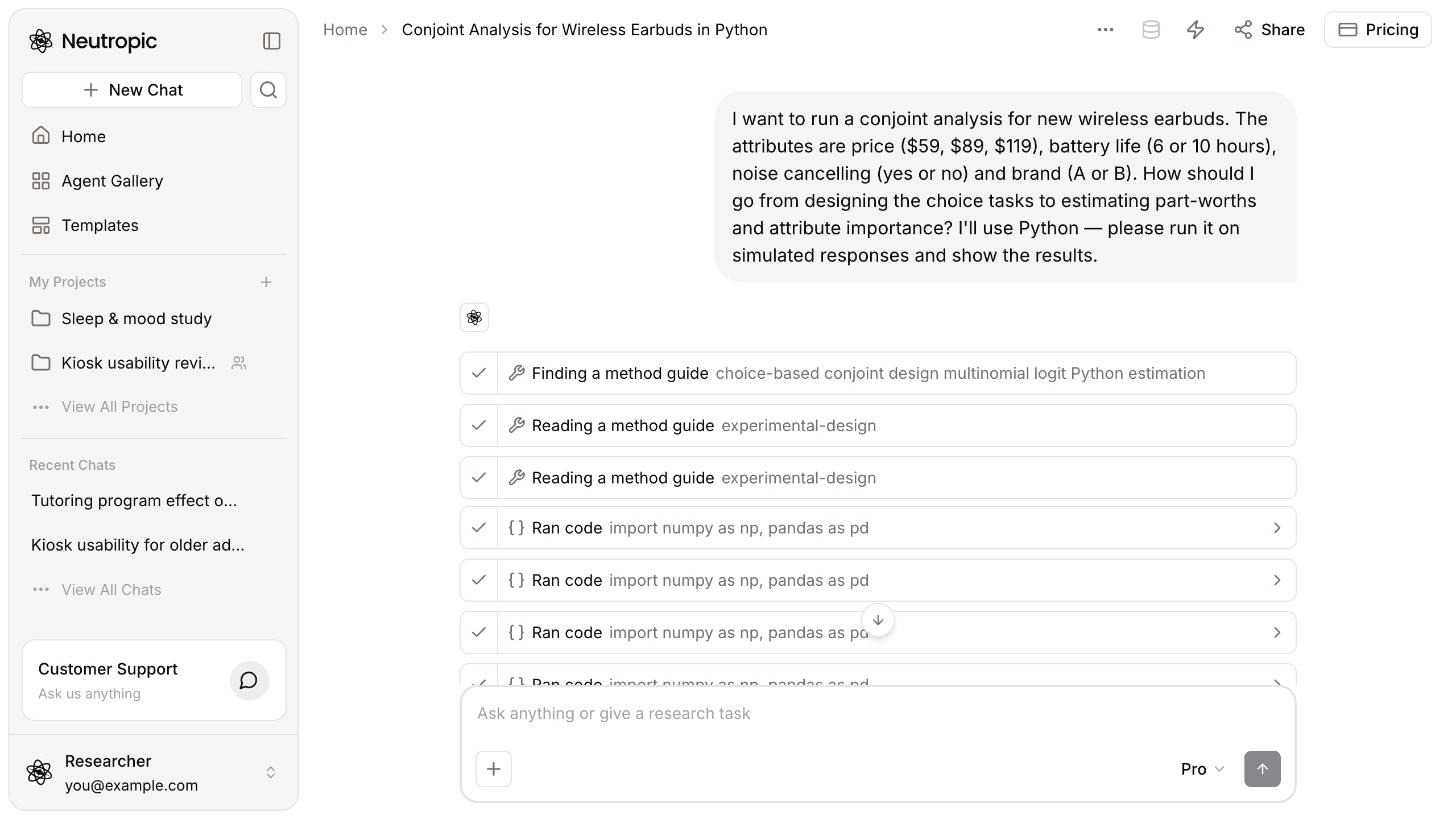
It read an experimental-design guide before answering
As soon as she sent it, steps started to appear. First Finding a method guide located a guide that fits conjoint analysis, then Reading a method guide read the experimental-design guide, and several Ran code steps ran the analysis.
Method guides are analysis procedures Neutropic has reviewed in advance. Instead of answering from memory, the model reads a vetted procedure first and follows it. Click any step to see exactly what was read and what code ran.
24 possible profiles, two per task
The answer opened with the task design. Multiplying the levels gives 3 × 2 × 2 × 2 = 24 possible profiles. Nobody can compare 24 earbuds at once, so each task shows two profiles plus a "neither" option.
It also flagged things Maya had not thought about:
- Balance the attribute levels, avoid implausible combinations, and use an efficient design for the real study rather than random draws
- Randomise task order and the position of the alternatives
- Pilot the survey for comprehension and fatigue
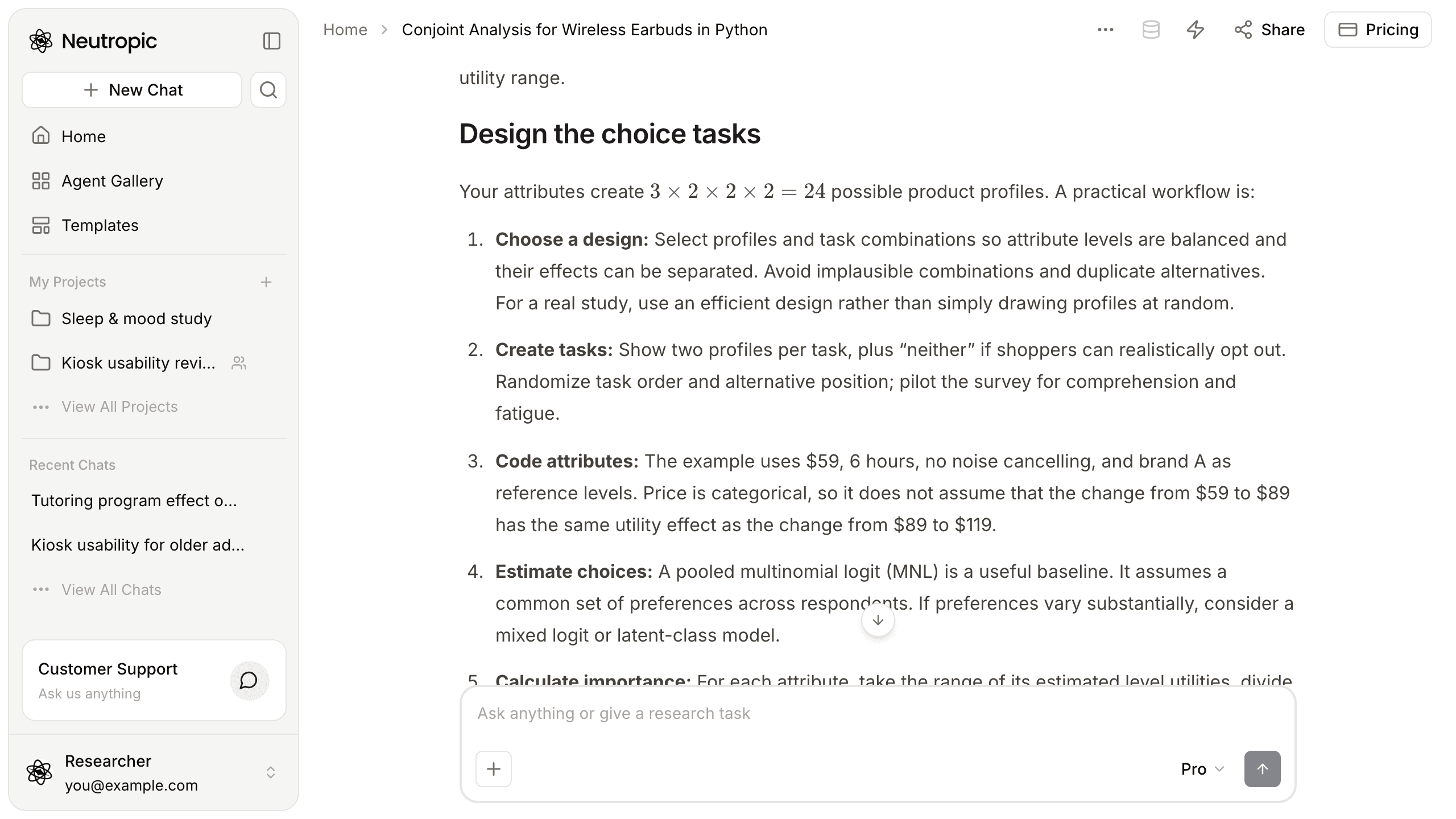
Price came out on top — with a caveat
Next came results from 300 simulated respondents answering eight tasks each. A pooled multinomial logit estimated the part-worths, with $59, 6 hours, no noise cancelling and brand A as reference levels. Importance is each attribute's range of part-worths divided by the sum of all ranges.
Importance came out as price 44.8%, noise cancelling 30.0%, battery life 18.1% and brand 7.1%. Moving from $59 to $119 cost 1.315 utility units, while noise cancelling added 0.880.
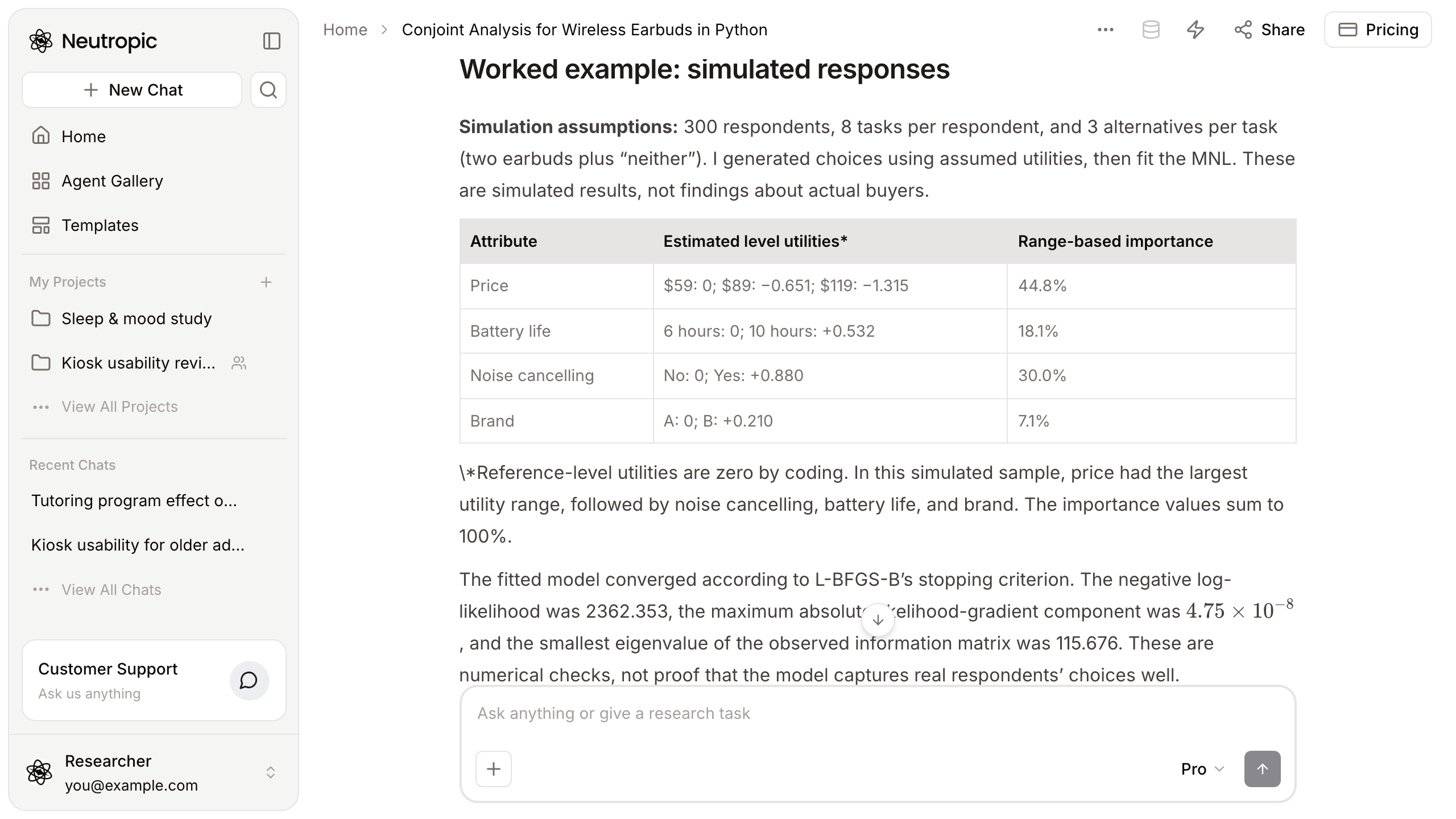
This is where Maya nearly made a mistake. It is tempting to write "buyers care most about price", but the answer warns against exactly that. Importance depends on the levels you tested: had the price range run from $59 to $199, price would have looked even more "important".
These are also simulated numbers, not real buyers' preferences, and the answer says so plainly. It also notes that the pooled model assumes everyone shares the same preferences.
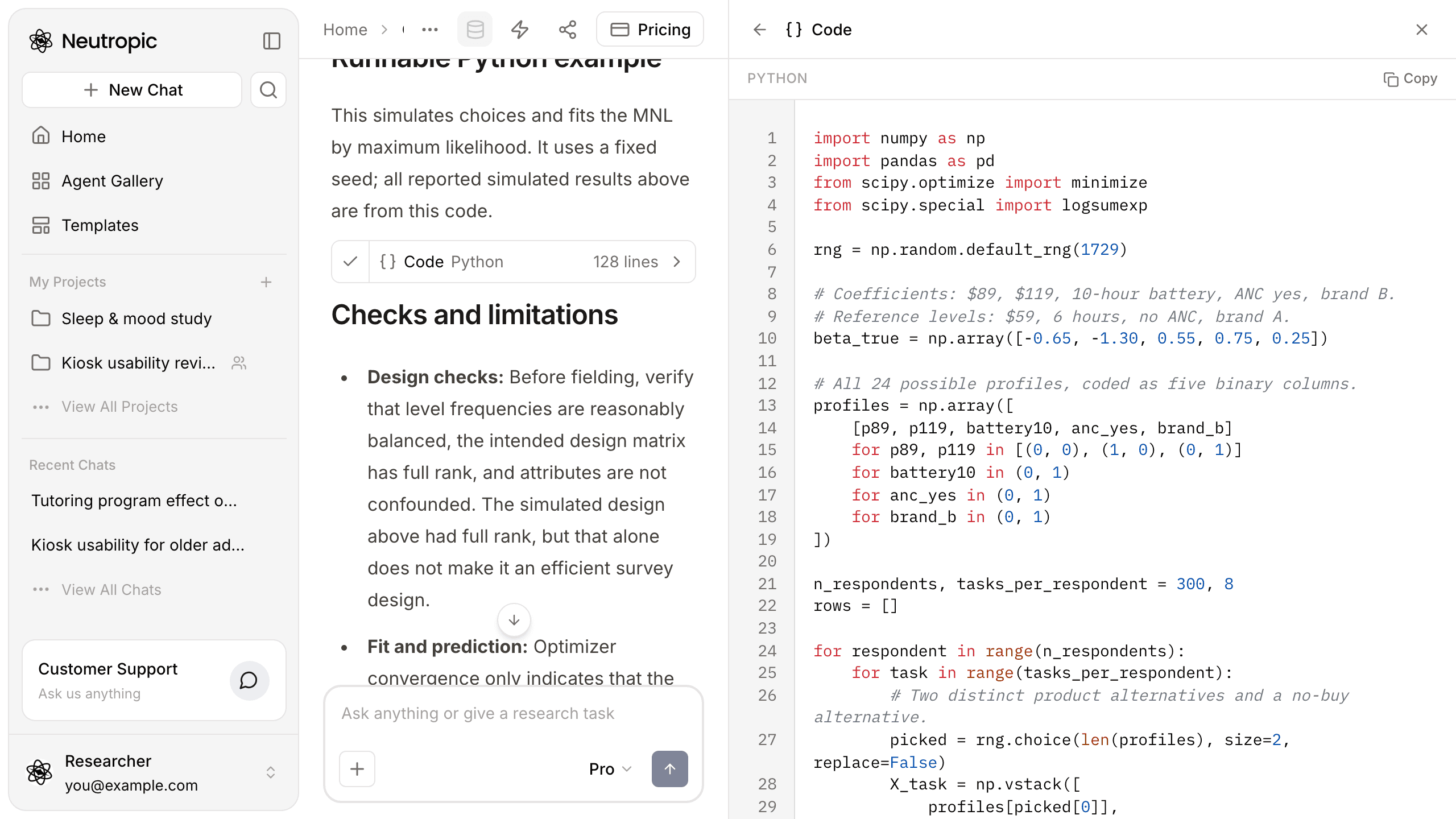
The code behind the table came with it
The answer included the Python code that produced the table. Click the card and the code opens in the right-hand pane, with a copy button. The random seed is fixed, so running it gives the same numbers — we ran it ourselves to check. 😎
Why does this matter? Your methods section has to say how you calculated things. Numbers without code cannot be rerun on your real survey data later. Maya only needs to swap the simulated responses for her real ones.
It suggested what to do next
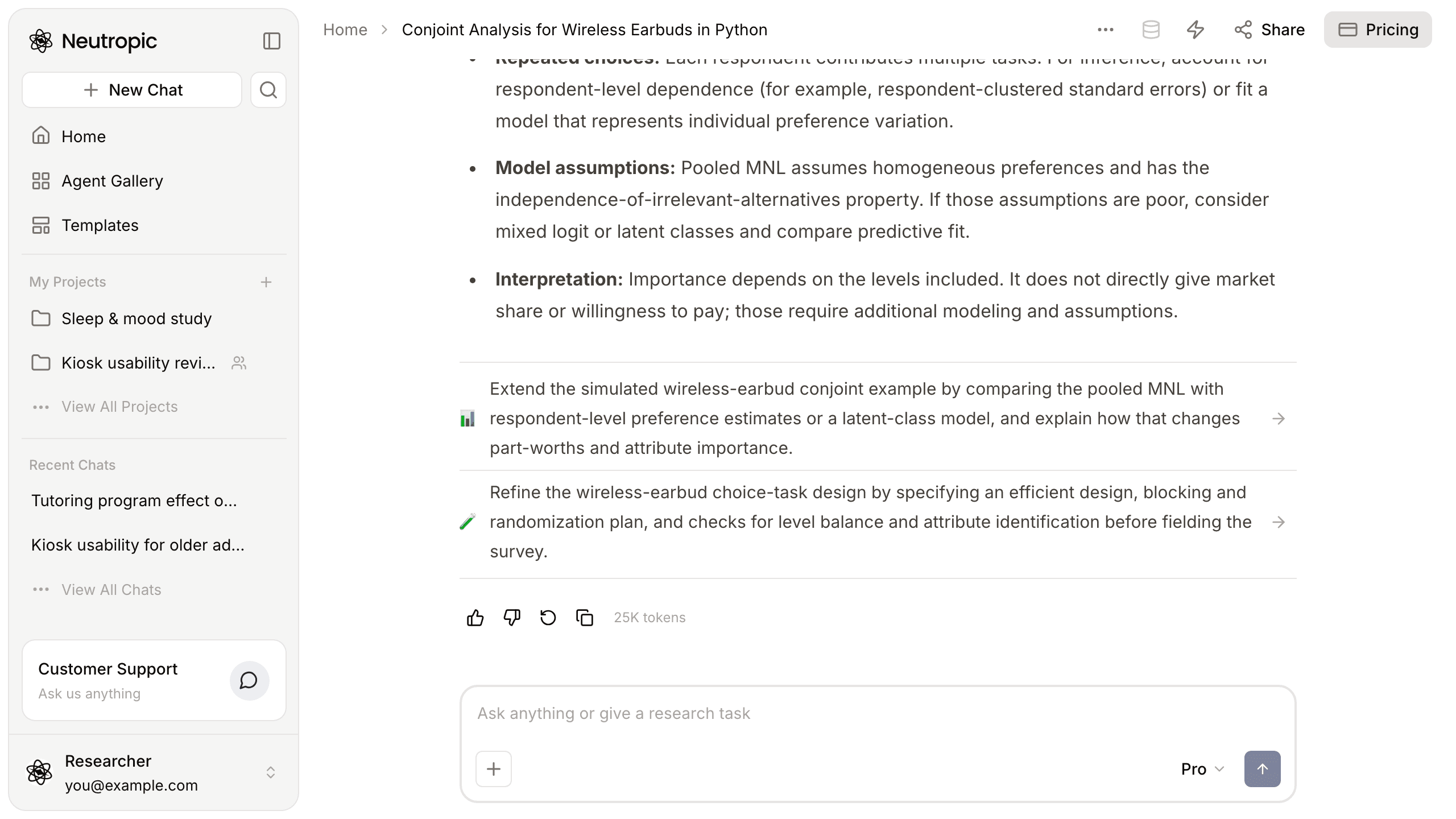
At the bottom of the answer were suggestions for the next step:
- Compare the pooled model with respondent-level estimates or a latent-class model, and see how part-worths and importance change
- Refine the task design with an efficient design, blocking and randomisation plan, and checks for level balance before fielding the survey
Click one and the conversation continues in the same chat. With two weeks to go, Maya would probably start with the second.
A vague question became an analysis she can run
| At the start | Now | |
|---|---|---|
| Design | Four attributes, nothing else | 24 profiles, two per task plus "neither" |
| Method | Knew only the word "conjoint" | Multinomial logit, range-based importance |
| Results | None | Part-worths and importance for 300 simulated respondents |
| Code | Hunting for R and SPSS examples | Python code that reproduces the numbers |
| Next | No idea what to read or do | Concrete next steps to click |
Of course, this is a rehearsal on simulated data. Conclusions need real survey responses, and if preferences vary a lot between people, look at mixed logit or latent-class models too. Still, starting from working code is very different from starting from a blank page.
This walkthrough used Pro. Lite (the free plan) explains the key steps and formulas without running a simulation; Expert adds comparisons with alternative models and sensitivity checks on the assumptions.
If your supervisor says "try a conjoint", one paragraph can take you to your first analysis.
This week, write down what you know and ask — just like Maya. Start with Neutropic for free